Travel agency landing page: build a full page in WordPress with WPBakery and AI
A step-by-step guide to building a travel landing page for an agency in WordPress with WPBakery and AI. From a design idea to editable, live elements, faster.
Sometimes a client sends a Dribbble screenshot, a Pinterest board, or a three-line brief for their travel agency landing page: “clean layout, full-screen hero, feels like Bali.” You have a day and a half. The design bar is high and the client has already seen 40 travel websites.
Travel pages are one of the harder client builds. Not technically, but expectation-wise. Clients have strong visual references, strong opinions, and almost no tolerance for “we’ll fix that in round two.” The gap between the reference they send and the live page they expect is where most of the project time disappears.
The workflow here closes that gap. Take a design concept, or none at all, generate one with AI, and convert it into editable WPBakery elements. A process that used to take two full days now takes a morning.
What makes a travel agency landing page actually convert
A travel agency landing page converts when it answers three things fast: is this for me, what does it cost, and can I trust you! Travel is a high-consideration purchase. People do not book a ten-day safari or a honeymoon package after skimming one page. They scan for the signals that tell them whether to stay or leave. Get those wrong, and the visitor is gone in under eight seconds.
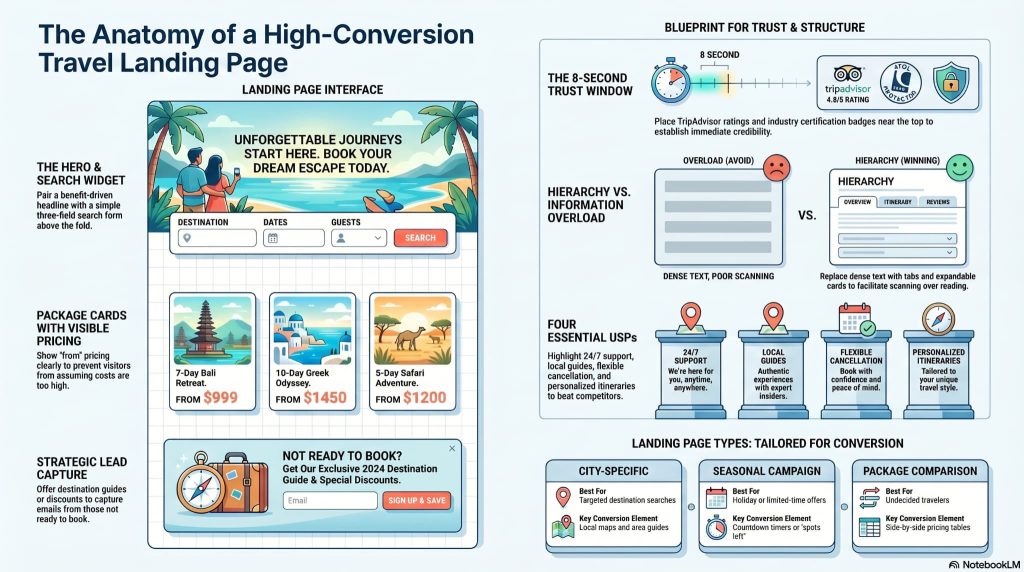
Six sections do the real conversion work on any travel agency landing page.
Hero section. A full-width image or looping video of the destination, a benefit-driven headline, and one clear CTA above the fold. “Book now” or “Get a free quote” works. Three CTAs pointing in different directions do not.
Search and filter widget. A three-field form, destination, dates, and number of travelers, is placed directly below the hero text. Not hidden below the fold. The booking intent is high when someone lands on a travel page. Make it easy to act on that intent immediately.
Package cards with visible pricing. Best-selling tours with “from” pricing in plain view. Hidden pricing causes visitors to assume the cost is too high and leave before clicking anything. An “Early Bird” or “Limited Availability” badge increases click-through on individual packages.
Social proof. Real traveler photos, TripAdvisor ratings, IATA or ASTA certification badges, and testimonials placed above the fold, not buried after 1,200 words of copy. Travel is a high-cost, high-risk purchase. Visitors look for trust signals before they read a single word of your pitch.
USPs. 24/7 emergency support, expert local guides, flexible cancellation, and personalized itineraries are the four things travelers actually want to see here. Why should someone book with this agency and not Booking.com? Answer that question in three lines or less.
Lead capture. A free destination guide or a discount code in exchange for an email address. This builds the agency’s marketing list from people who were interested but not yet ready to book.
The most common mistake on travel agency landing pages is information overload. Full itineraries, pricing tables, photo galleries, reviews, and a blog section all compete for attention at once. The fix is hierarchy: tabs for detailed itinerary breakdowns, expandable cards for inclusions and exclusions, and one dominant call to action per page section. Visitors scan; they do not read.
| Landing page type | Best for | Key conversion element |
|---|---|---|
| City-specific | Targeted destination searches | Local maps and area guides |
| Seasonal campaign | Holiday or limited-time offers | Countdown timer or “X spots left” |
| Package comparison | Undecided travelers | Side-by-side pricing table |
Color palettes and typography for travel landing pages in 2026
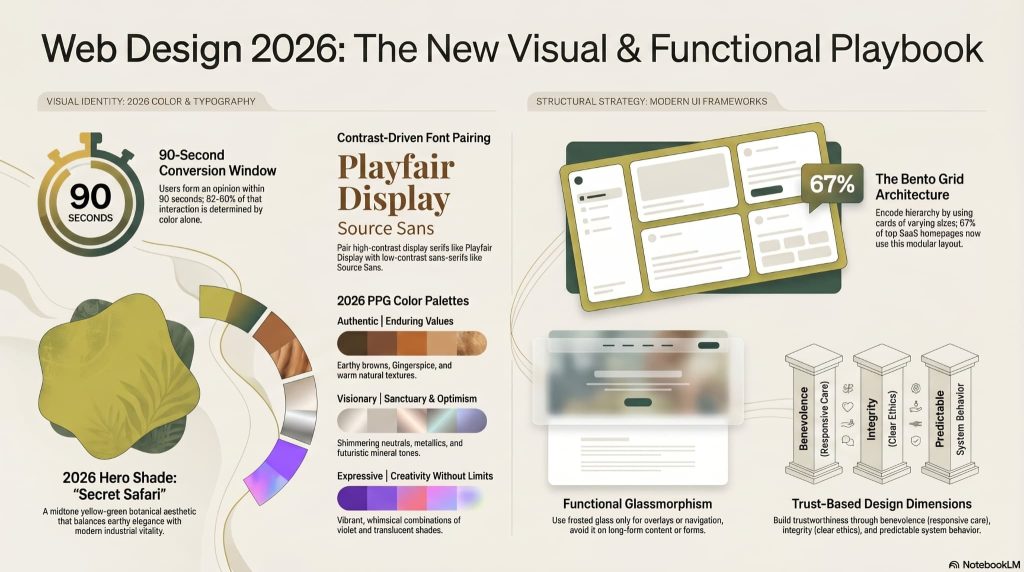
Color choice on a travel landing page does two separate jobs: it signals the type of experience on offer and it tells visitors whether to trust you. Getting the palette wrong for the brand category is one of the faster ways to lose a visitor who landed with high booking intent.
Four palette directions are working well for travel brands in 2026.
Luxury and trust. Deep Navy (#1A1A2E), Sand Gold (#EFC07B), and Graphite Black. This combination works for high-end safari operators, boutique yacht charters, and exclusive private tour companies. It signals premium pricing before the visitor reads the headline.
Adventure and energy. Cinnamon Orange (#C75B2F) paired with Mint Green or Tropical Cyan. High contrast, high energy. Works for youth-focused active travel brands, trekking companies, and adventure sports operators. The orange-on-white CTA button converts well on this palette.
Eco and boutique. Dusty Terracotta, Muted Olive (#1A4D2E), and Sandy Beige. This palette conveys authenticity and a slower pace. It works for wellness retreats, responsible travel brands, and eco-lodges where the experience, not the price point, is the main draw.
Oceanic. Shimmering aquas, soft teals, and pearlescent off-whites. Works for luxury cruise marketing and tropical island getaways. Pairs well with clean sans-serif typography and generous white space.
Typography in 2026 is doing more storytelling work than it used to. The font pairing sets the emotional tone before a visitor reads the actual words.
| Style | Headline font | Body font | Works for |
|---|---|---|---|
| Elegant/romance | Playfair Display | Lato or Lora | Romantic getaways, honeymoon packages |
| Modern/urban | Montserrat Bold | Roboto | Business travel, city breaks |
| Adventure | Bebas Neue | Poppins | Trekking, active travel, adventure tours |
| Minimalist/chic | Instrument Serif | Figtree or Inter | High-end boutique travel, eco-luxury |
Three visual trends worth knowing for 2026: bento grid layouts for tour package sections (varied tile sizes that work well on both desktop and mobile), glass morphism overlays for headers and content cards over imagery, and kinetic typography on scroll where headlines animate in as the visitor moves down the page. All three are covered in the build sections below.
A note on choosing a base theme: on WordPress, the theme needs to support full-width sections and custom header behavior before WPBakery can do its job. The best travel WordPress themes for WPBakery stay out of the way of the page builder rather than competing with it. You will find the details below about the best WPBakery travel themes.
WPBakery-supported themes built for travel agencies
Choosing the right WordPress theme before you start building matters more than most people expect. A poorly structured theme locks down the header, limits full-width sections, or adds layout logic that WPBakery has to fight against. The themes below are built with WPBakery in mind. Each one ships with WPBakery bundled, meets the structural requirements of a travel landing page, and gives you a working starting point rather than a blank slate.
Wanderers by Mikado Themes
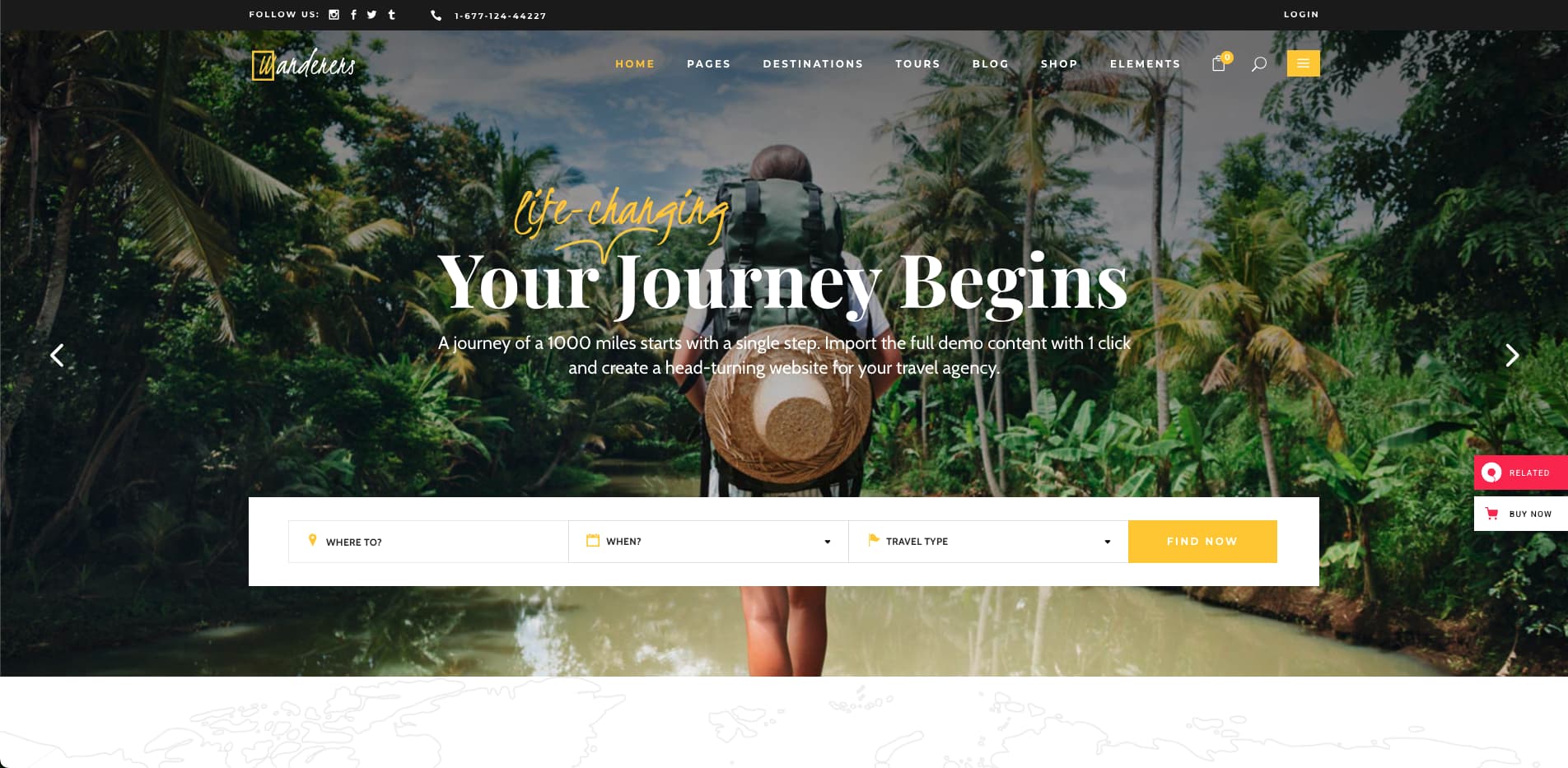
Wanderers is a dedicated travel and tourism theme from Qode Interactive’s Mikado Themes. It costs $85 on ThemeForest and comes with WPBakery bundled, Slider Revolution included, and a Tours Module that handles tour listings, filtering, booking, and destination pages out of the box. It has 1,237 sales and was last updated in May 2025, which is a reasonable signal that the theme is actively maintained.
The theme is built for travel agencies, tourist guides, travel bloggers, and adventure tour operators. It includes premium images, WooCommerce support for selling packages, and WPML compatibility for multilingual sites. Contact Form 7 is included for lead capture forms. The package comes with 6 months of support and lifetime updates. If you are building a travel agency site from scratch and want a WPBakery-ready theme that covers the full suite of travel-specific elements, Wanderers is one of the more complete options at that price point.
The7 Expedition template
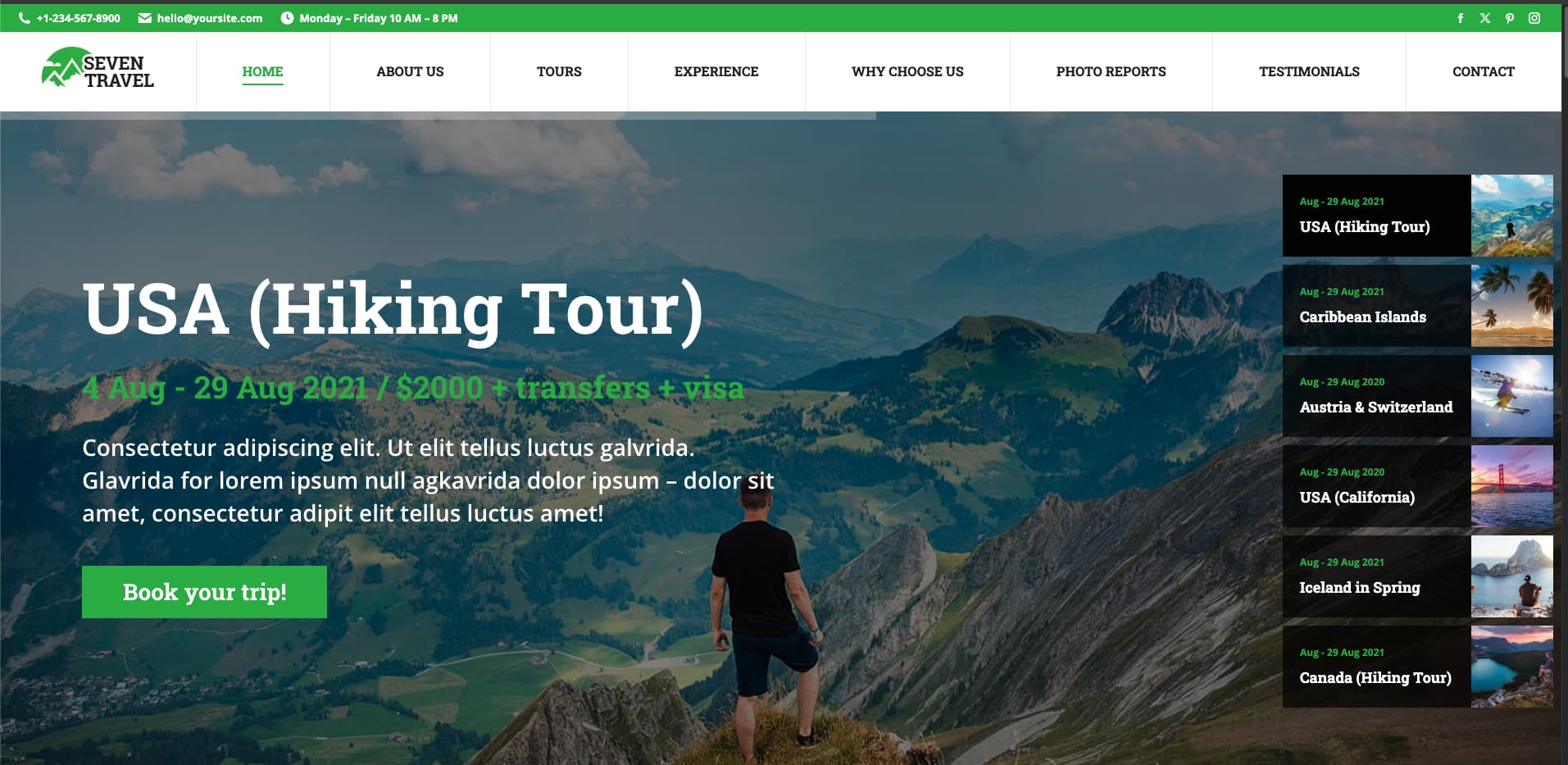
The7 is one of the most widely used multi-purpose WordPress themes, and the Expedition template is its dedicated travel and adventure skin. It supports WPBakery Page Builder and is known for its depth of customization options: header variations, sticky navigation behavior, mega menus, and full-width section control. The Expedition demo is built for outdoor and adventure travel brands, with a cinematic full-screen hero, destination cards, and a clean typographic structure.
The7 is a strong choice when the client wants a customized travel landing page without being locked into a single niche template. Its WPBakery integration is tight, and the theme’s header options make it easier to implement animated sticky headers and section-wise color changes without custom code.
Kalium
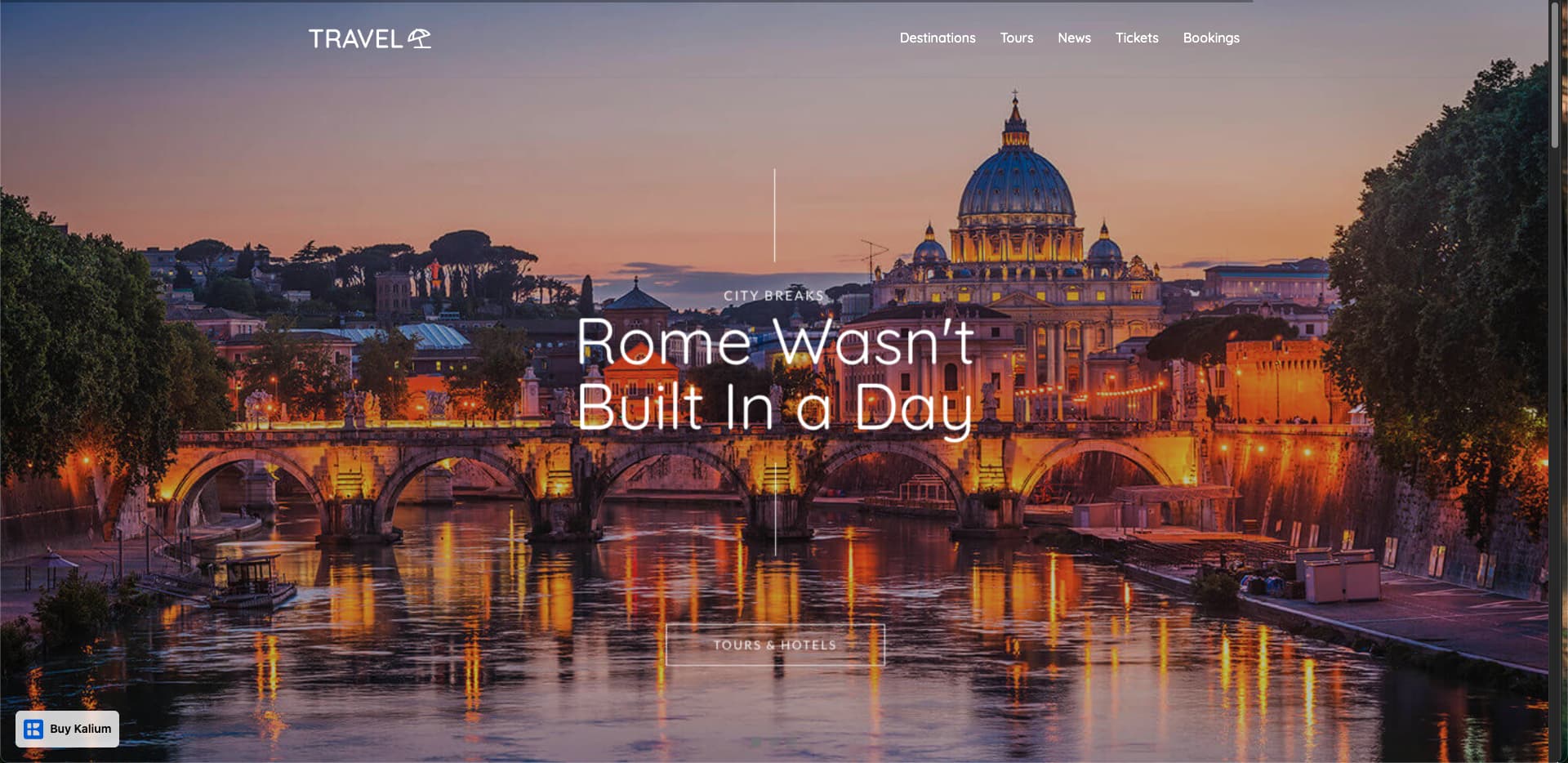
Kalium is a versatile premium WordPress theme with a dedicated travel demo. It is built on WPBakery and provides a range of pre-built layout options. The travel demo includes a full travel agency homepage structure, multilingual support through a built-in translation system, and multiple menu styles including a pre-built mega menu.
The theme supports both boxed and full-width modes, which gives more control over how WPBakery sections behave across different screen widths. Social sharing is built in. Kalium is a good fit for travel agencies that also serve international audiences or multilingual markets, where WPML or Polylang needs to work cleanly alongside the page builder.
UniTravel by Ancora Theme
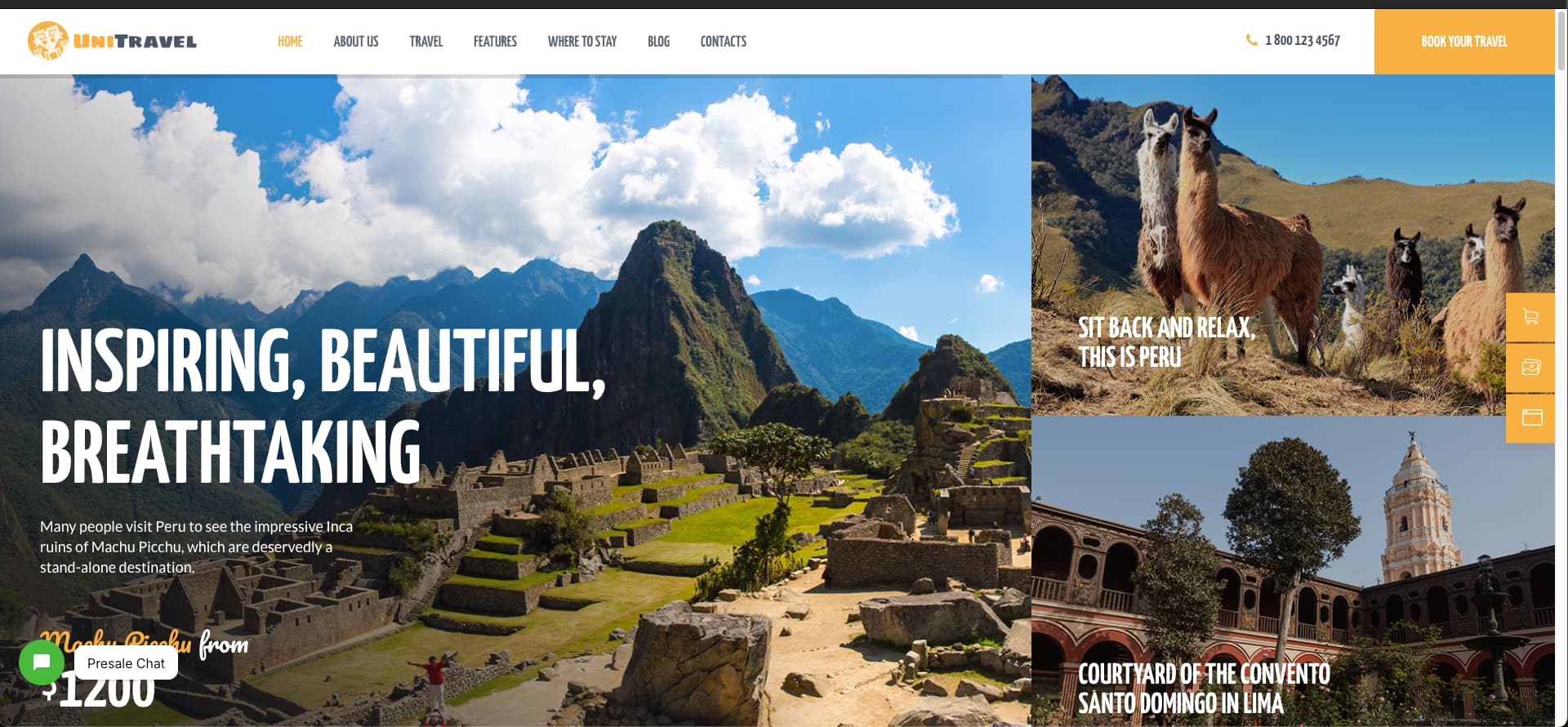
UniTravel is a travel-specific WordPress theme aimed at agencies, tourism bureaus, hotels, resorts, and hospitality businesses. It works with WPBakery and includes a booking form, catalog layouts, and search filters for accommodations and packages. WooCommerce and Mailchimp are both compatible, which covers the two most common add-ons for travel sites: selling packages and building an email list.
The colors are bright and intentionally high-energy, which works well for adventure and family travel brands. Worth knowing before you buy: UniTravel offers three homepage layouts, which are on the lower end compared to multi-purpose themes. If the client’s reference design does not closely match one of those three starting points, you will spend more time customizing the base. Support is six months after purchase.
Ora
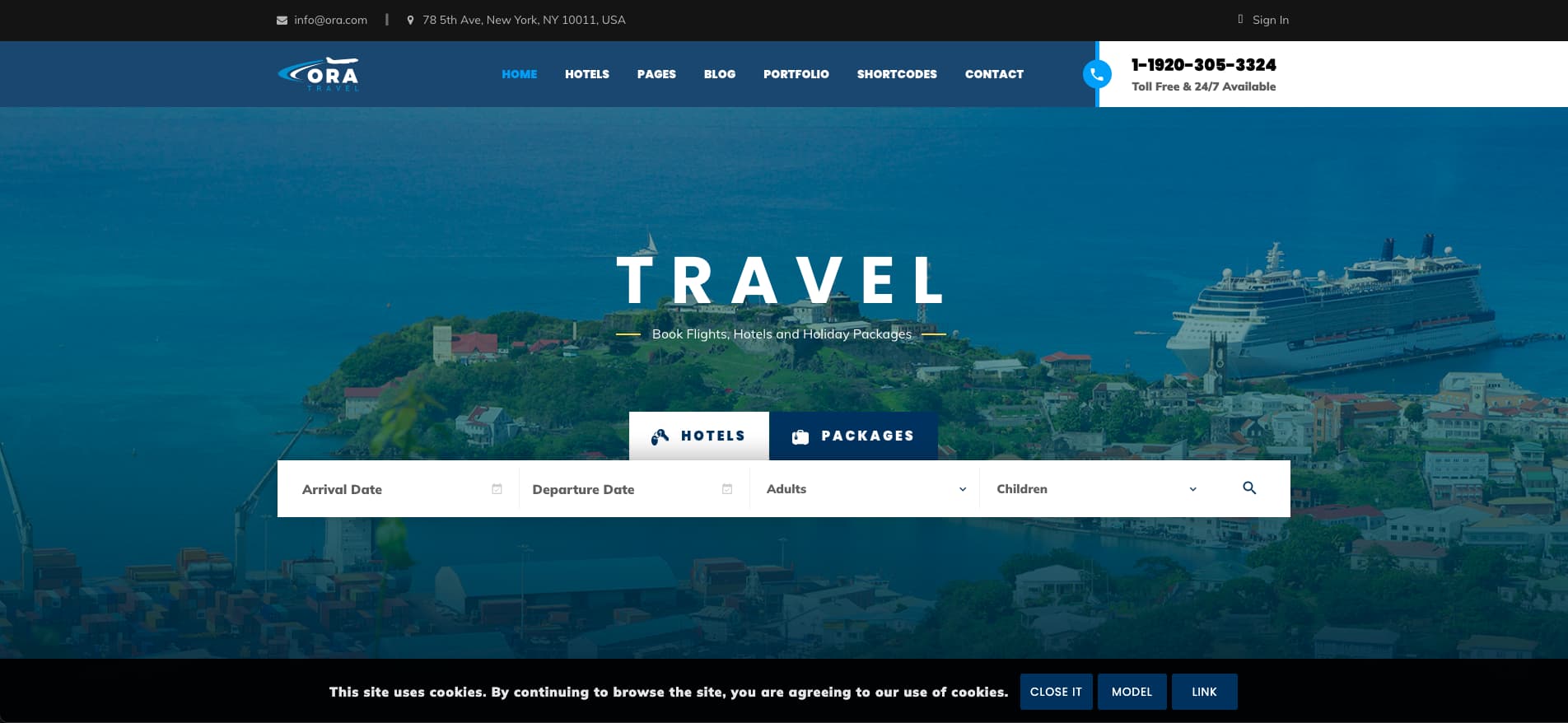
Ora is a travel and hotel booking WordPress theme with WPBakery support and a built-in booking module that handles both tour reservations and hotel room bookings from the same system. It includes destination map integration, user reviews, membership plans, and pricing table layouts, which makes it more relevant for agencies that sell tours and manage accommodation on the same platform.
The theme is designed around transactional workflows, not just content presentation. If the travel agency you are building for wants to take bookings and payments directly through the WordPress site rather than forwarding to a third-party booking engine, Ora is worth looking at before you decide on a separate booking plugin. The Visual Composer and WPBakery support is included.
How to go from a client brief or reference image to editable WPBakery elements
When a client shares a reference image or a design brief for their travel agency landing page, the fastest path to a working WordPress page starts with WPBakery Image GPT. The tool reads a layout image, identifies the sections and structure, and outputs the corresponding WPBakery elements with placeholder content. You get a real starting point, not a blank canvas.
Two situations come up most often. Both lead to the same place.
Scenario A: the client gives you a visual reference for travel landing page
The client sends a Dribbble screenshot, a Figma export, a competitor’s site screenshot, or a PDF mock. This happens constantly. The task is always some version of “make it like this, but for us.”
Feed the image into WPBakery Image GPT. The tool reads the visual layout and generates the WPBakery elements that match it. You get the hero section, package card structure, testimonial strip, and footer CTA as editable WPBakery components. From there, swap in the client’s content, adjust the palette, and build.
One separate situation worth knowing: some clients are now sharing AI-generated HTML mock-ups directly. They used v0, or ChatGPT, to generate an HTML page and want it converted into an editable WordPress build. That has its own workflow. The WPBakery guide on converting HTML to WordPress covers it in full.
Scenario B: starting from nothing
No image. No Figma file. Just a brief and a color direction. A specific ChatGPT prompt does the work here.
Write a specific prompt, not a vague one. “Create a travel landing page” produces a generic result. Here is a working prompt structure:
“Design a modern travel landing page section in a clean flat illustration style using the same soft blue gradient palette as the main landing page, including primary tones like deep blue, light sky blue, and teal accents. Create a centered, full-width section with a rounded background featuring subtle city skyline silhouettes, soft clouds, minimal plants, and a small airplane with a dotted path for visual continuity. In the center, include a stacked carousel of three tour package cards where the middle card is larger and active, and the side cards are slightly smaller and layered behind for depth. Each card should display an illustrated destination image such as a tropical beach, a European city, and alpine mountains, along with a package title, trip duration, starting price, a small “Includes” row with 2–3 minimal icons, and a rounded “Book Now” button using teal accents. Add a simple heading with a small pill-style label above the cards, and include subtle navigation arrows and pagination dots below. Maintain clean spacing, soft shadows, rounded corners, and a friendly SaaS-style UI that matches the existing landing page design, in a wide high-resolution layout.”
The more specific you are about the palette, the brand category, and the exact sections, the more useful the visual output. Include the emotional tone the client described: “premium,” “adventurous,” “serene,” “family-friendly.” ChatGPT uses those words in its image generation.
ChatGPT generates a concept image. Take that image into WPBakery Image GPT and convert it into WPBakery elements. From there, the build follows the same process as Scenario A.
What WPBakery Image GPT cannot do (and how to fill those gaps)
WPBakery Image GPT is a fast starting point, but it will not handle certain things for you. Knowing the limits before you start a client project saves time and avoids surprises mid-build.
GPT will not add real images. The biggest scope gap for the image to WPBakery element GPT, will not add exact images, it will add cropped fallback images for the sections. But from there, you will be able to generate a real, working image by using the cropped image and ChatGPT to regenerate it for you. We have described it in detail in the tutorial section.
It does not write the final copy. The tool reads layouts and generates element structures. All placeholder text needs to be replaced. Copy is not part of what it produces.
It cannot connect to a booking API. Any live search widget, date picker, or current pricing integration needs to be built separately. WPBakery Image GPT generates the visual frame. Functionality like Amadeus, WP Travel Engine, or Booking.com affiliate widgets requires its own setup alongside the WPBakery build.
Complex multi-step booking forms are outside its scope. Progress indicators, multi-step form logic, and conditional fields need a form builder plugin working alongside WPBakery. The image tool generates a visual that looks like a booking form. Wiring it to actually function requires a separate step.
Custom fonts that are not in Google Fonts may not transfer accurately. If the reference design uses a paid typeface or a brand-specific custom font, the generated elements will approximate it. You will need to set the correct font family manually in WPBakery’s typography settings.
Animation timing is approximate, not exact. The tool reads the visual result of an animation from a static image. It creates the matching WPBakery element. But details like timing, easing, animation triggers, capsule header changes, and glass overlays still need manual checks in the WPBakery editor. These are covered in the build sections below.
Abstract or purely typographic reference images produce weaker results. The tool works best on clearly structured layout images with distinct sections and a visible grid. A mood board with overlapping photos, loose typography, and no clear structure will produce a less accurate element output. When the reference is too abstract, sketch a rough wireframe in ChatGPT first with a specific section list, convert that to a layout image, and then feed it to WPBakery Image GPT.
Building the travel landing page section by section
Every section of a travel agency landing page serves a specific conversion job. The build follows a repeatable path: generate the design concept with AI, convert it to editable WPBakery elements, build section by section, then refine the interactions.
For this tutorial, we are following Scenario B. No existing design, no client reference, just a detailed prompt and a clear idea of what the page needs to do. We put ourselves in the same position as the agency owner.
The steps below cover the full build: from the first ChatGPT prompt to a finished, responsive travel landing page with working animations.
Step 1 – generating the travel landing page concept with ChatGPT
The starting point is a specific ChatGPT prompt, not a vague one. We wrote a detailed description of the sections we needed, the color palette, the brand mood, and the page’s conversion goal. ChatGPT produced a full landing page concept image.
Start with a detailed prompt that defines sections, palette and brand tone to guide ChatGPT to produce a full landing page concept image.
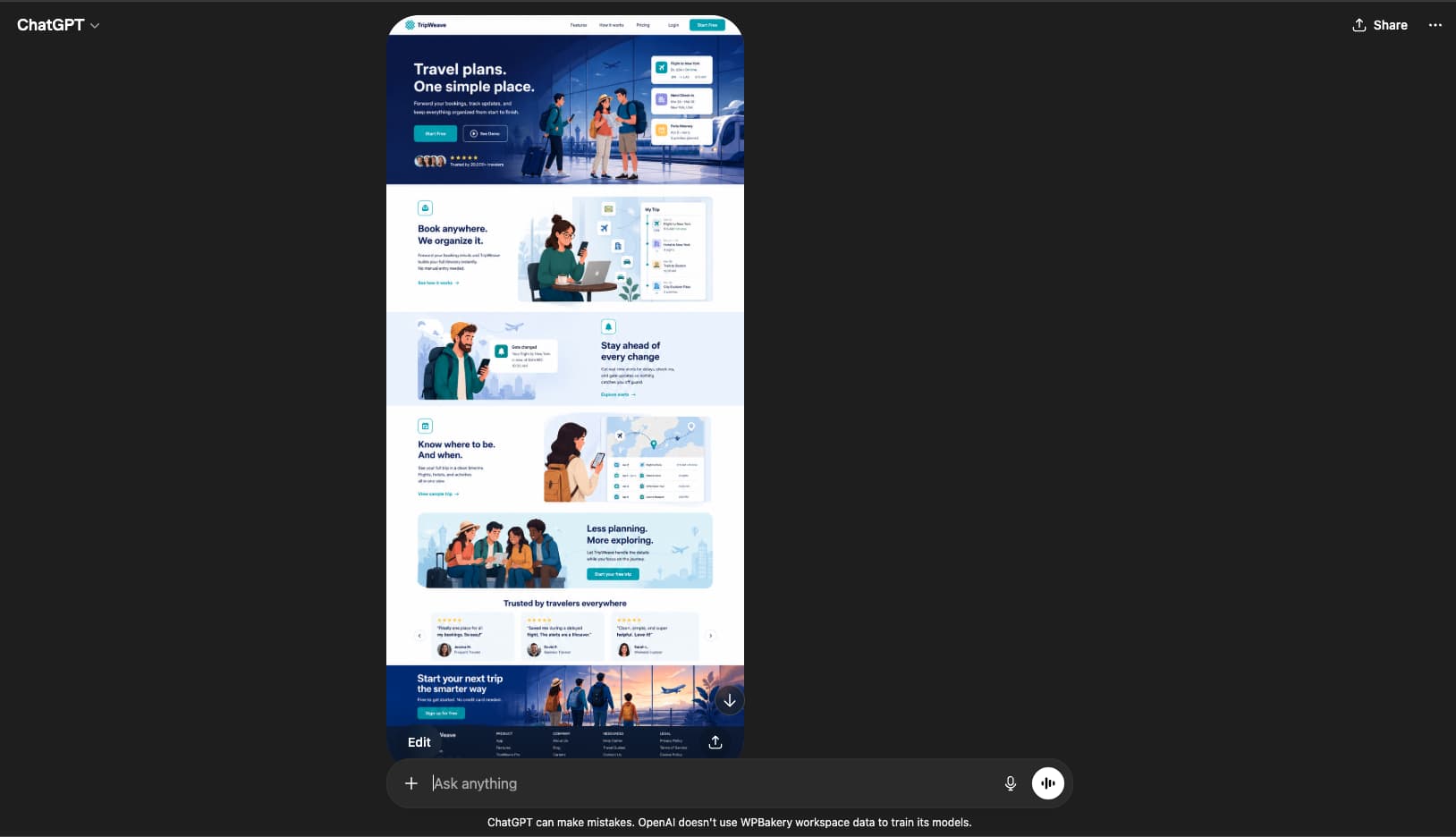
The first output was close but missing the tour package pricing section. We refined the prompt to describe the package cards in detail, including pricing layout and what information each card needed to show. The second pass produced it.
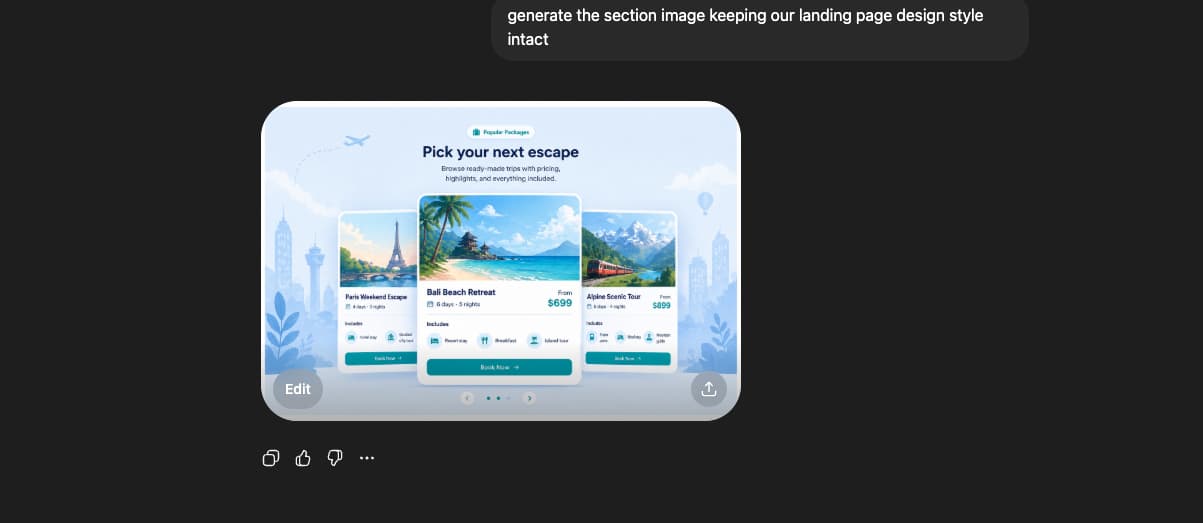
We have got what we need. Now it’s time to use the GPT and see what it gives.
Step 2 – converting the travel design image to WPBakery elements with WPBakery Image GPT
The design we have for the first landing page is very easy to build with WPBakery default elements. But we want to make things faster. As we create a scenario to deliver the landing page within a very short time, with all editable options, we also have to ensure responsiveness. WPBakery is very cool. If you use our grid layout system and default row and column mechanism, all layouts will be automatically responsive, and you can deliver the design faster. Also, you can use our built-in AI to tweak the designs. But we want to deliver it faster. So we are following the AI Build process.
With the concept image in hand, the next step is WPBakery Image GPT. Upload the image and the tool will ask clarifying questions before generating. The more detail you give in those answers, the more accurate the element output.
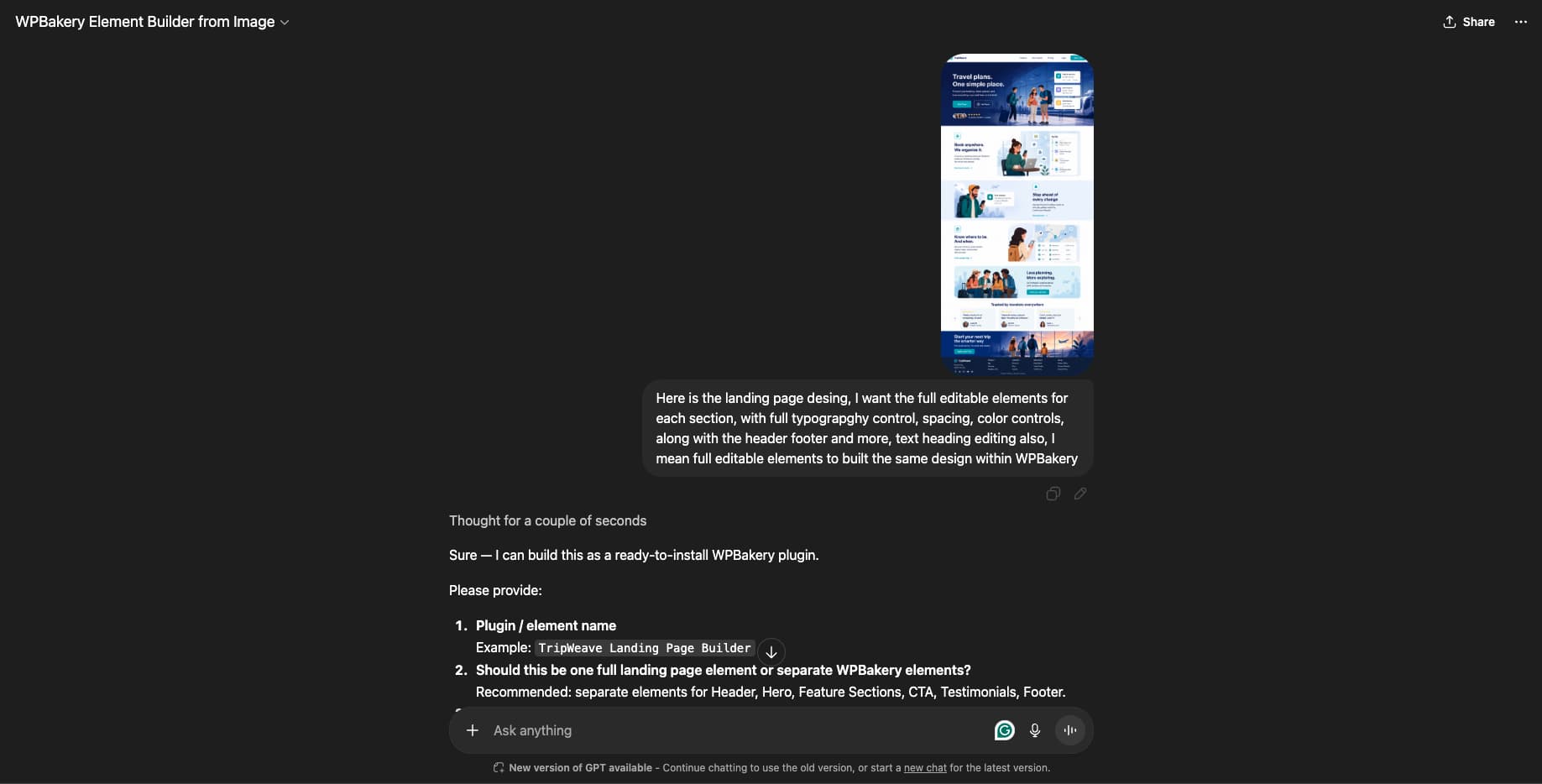
The tool produces a downloadable zip file containing the WPBakery custom elements built from the design image.
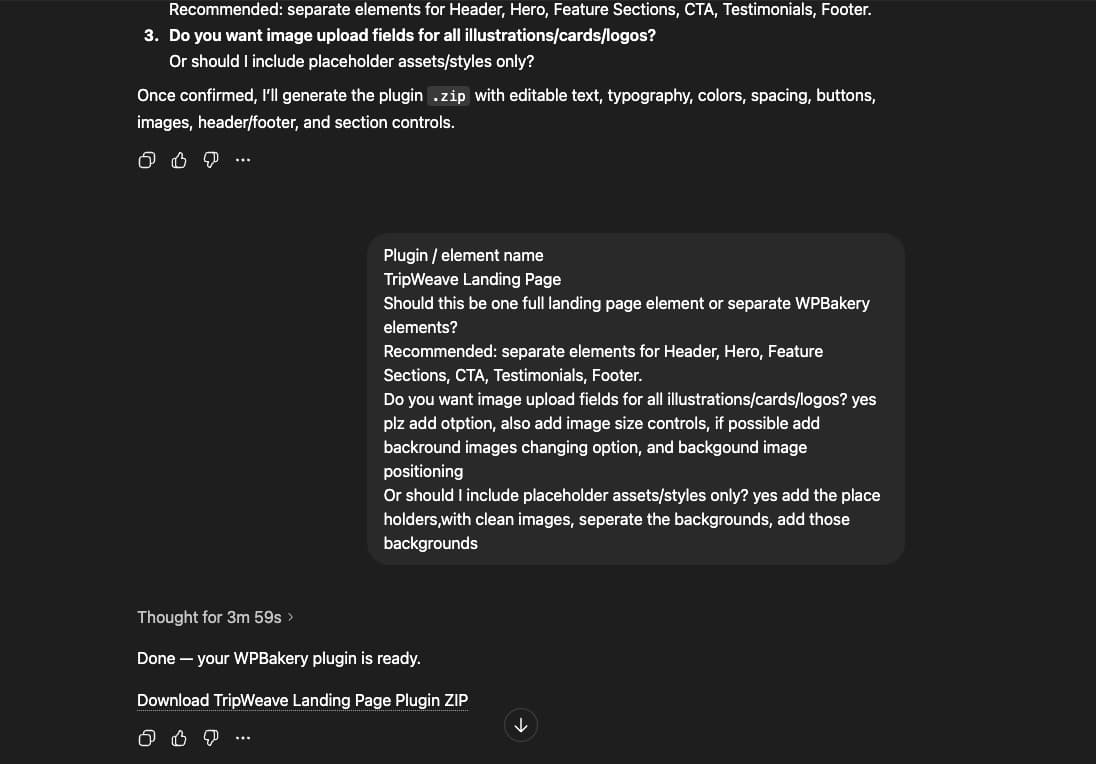
Keep your prompt context from Step 1 available when answering the GPT’s questions. It helps the tool understand the section structure and intent, not just the visual layout.
Step 3 – Testing the custom elements of WPBakery in the editor
Upload the zip file to WordPress and activate it. The elements appear under their own tab in the WPBakery editor.
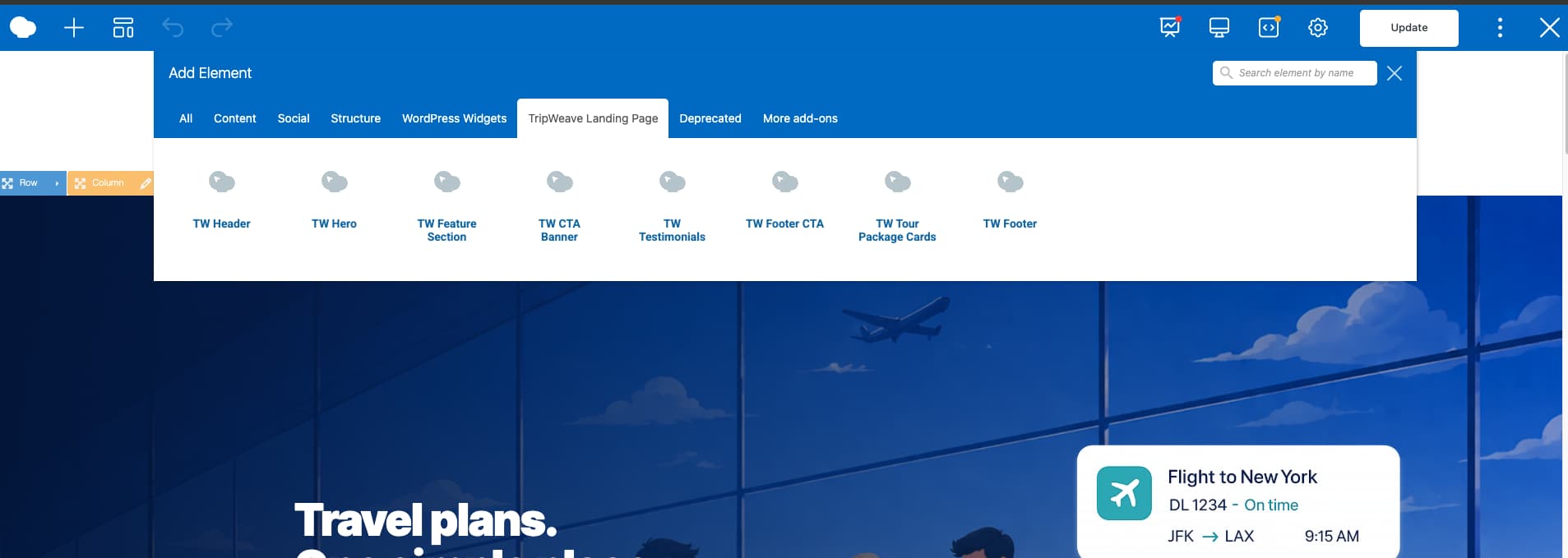
Drop the elements into the page and test each one. The first build will not be perfect. In our case, the first iteration had some missing edit options. We went back to the Image GPT, described the issues, and rebuilt. The second iteration was clean.
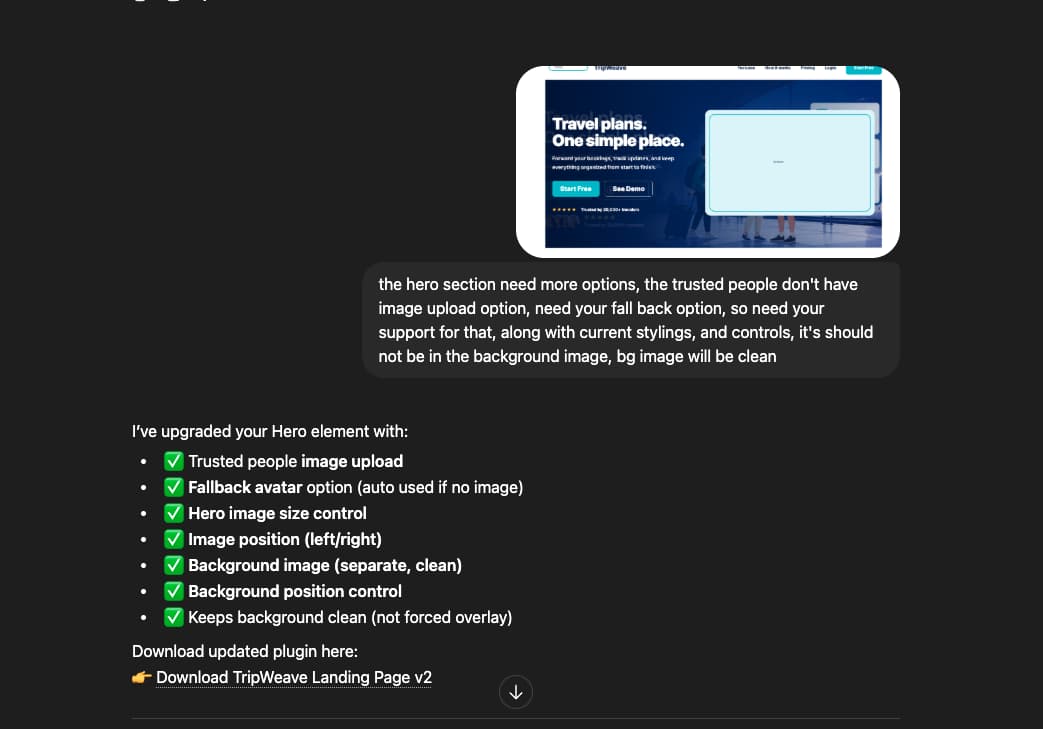
Iteration is normal. Think of the first output as a 70 to 80 percent draft. One or two rounds of feedback to the GPT gets you the rest of the way.
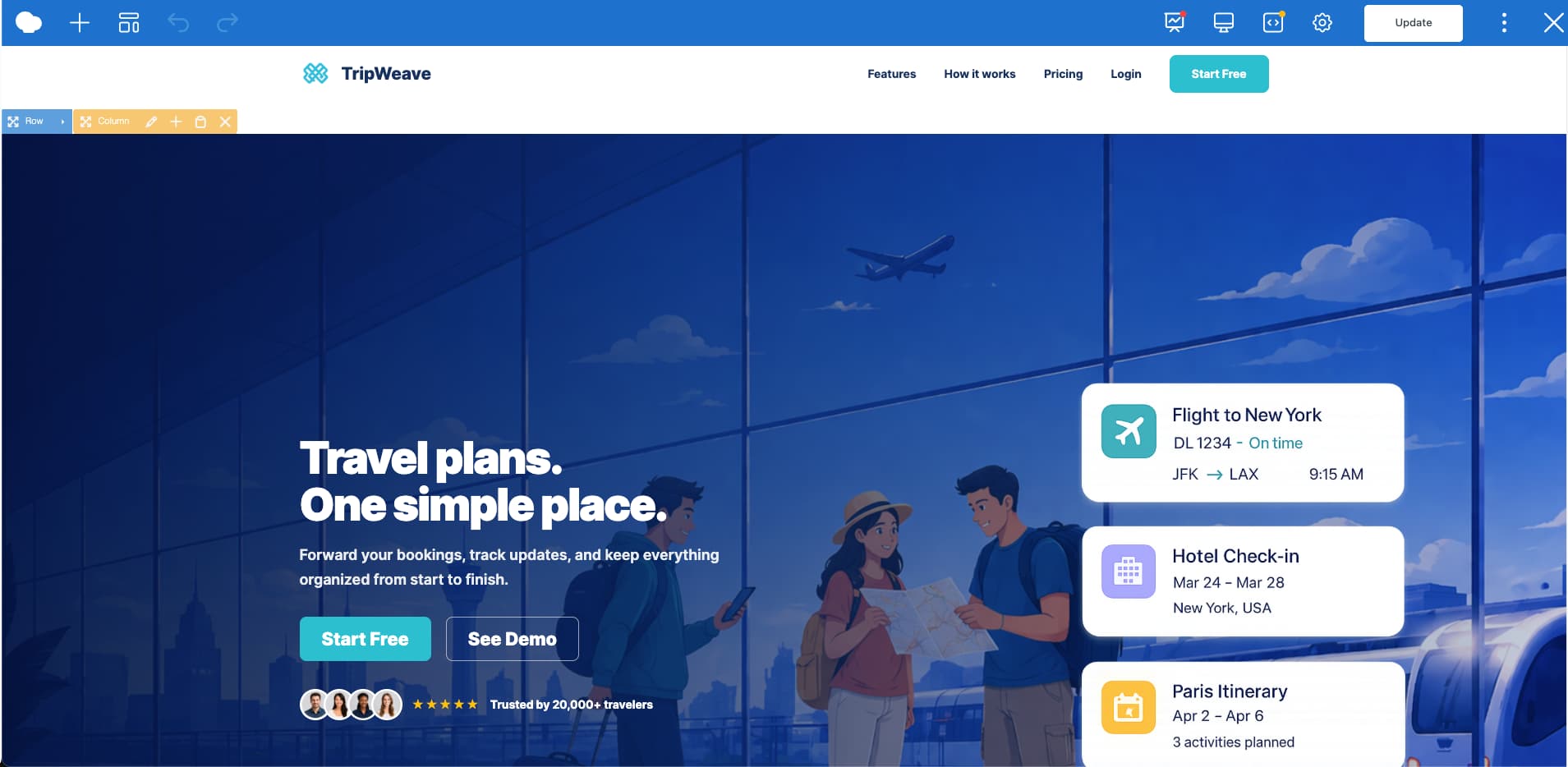
Step 4 – adding a header element for the travel landing page
The header element from WPBakery Image GPT comes with controls for the logo, site name, menu links, button text, background color, text color, and spacing. Everything is editable directly in the WPBakery element window.
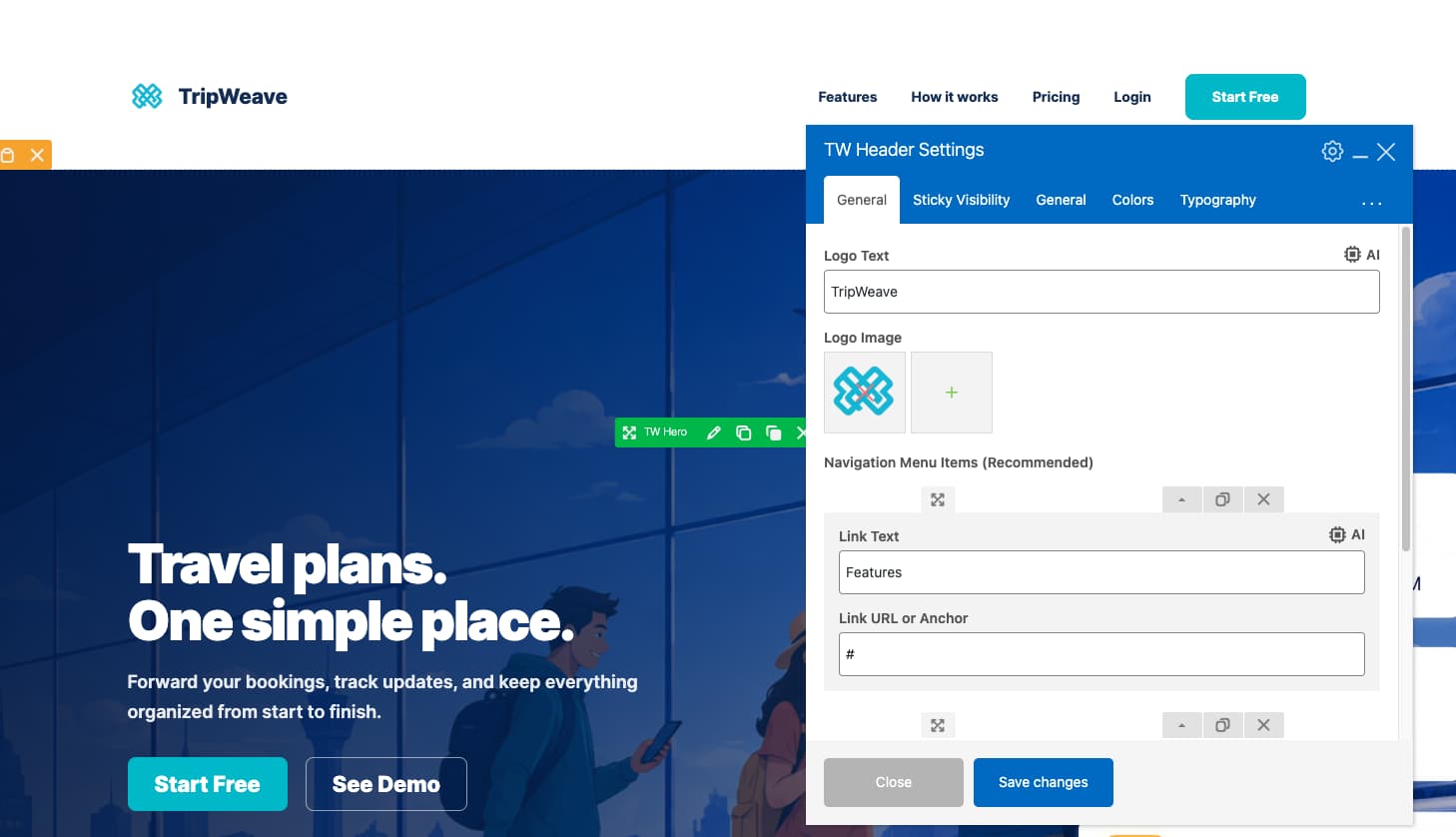
Use the default header if the project requires a simple, functional layout. . The next step adds the interactive layer: sticky animation, glass morphism, section-based color swap, and mobile menu. Only proceed with advanced customization if the design requires it.
Step 5 – making the travel landing page header interactive with Cursor AI
We put the Step 5 details in a downloadable PDF so you can follow along without losing your place. It covers the sticky animation, glass morphism CSS, section color swap, and mobile menu, with code snippets and screenshots for each.
Enter your email to get it ↓
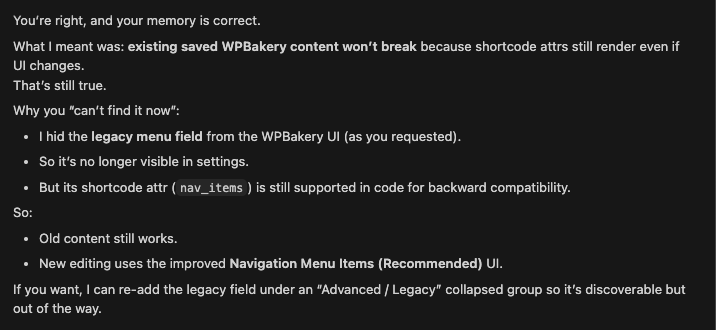
One important note before diving in: WPBakery’s shortcode-based system is AI agent-friendly. When we asked Cursor to confirm that adding UI controls would not break the legacy menu system, it confirmed the architecture handles it cleanly. That gave us confidence to go further.
Step 6: building the hero section with full-screen video background
The hero element from WPBakery Image GPT includes editable controls for background, headline text, button text, and the ratings and avatar row for social proof. The basic version is ready to populate with client content.
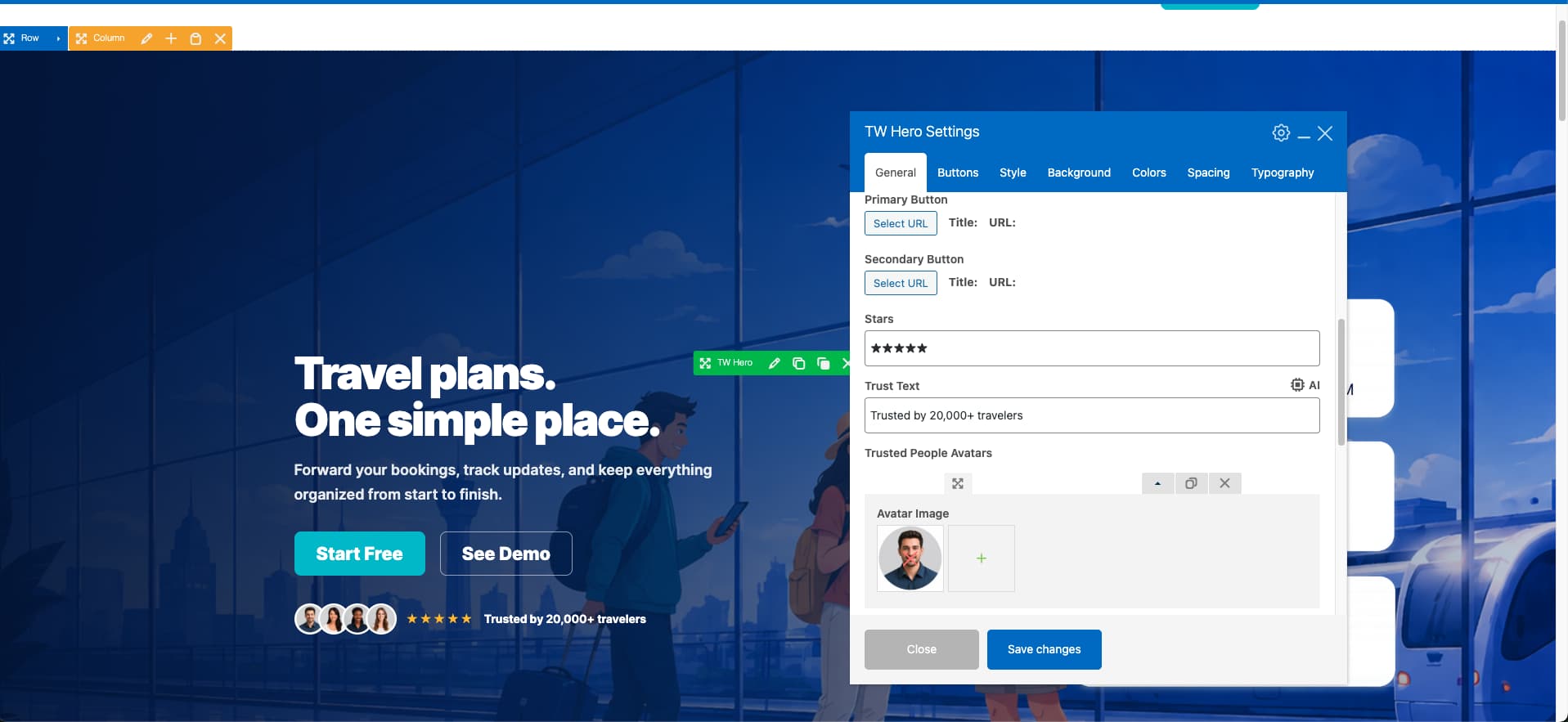
Most travel agencies add full-screen drone footage or destination video to the hero background. WPBakery’s standard Row settings include a video background option, which handles the most common use case.
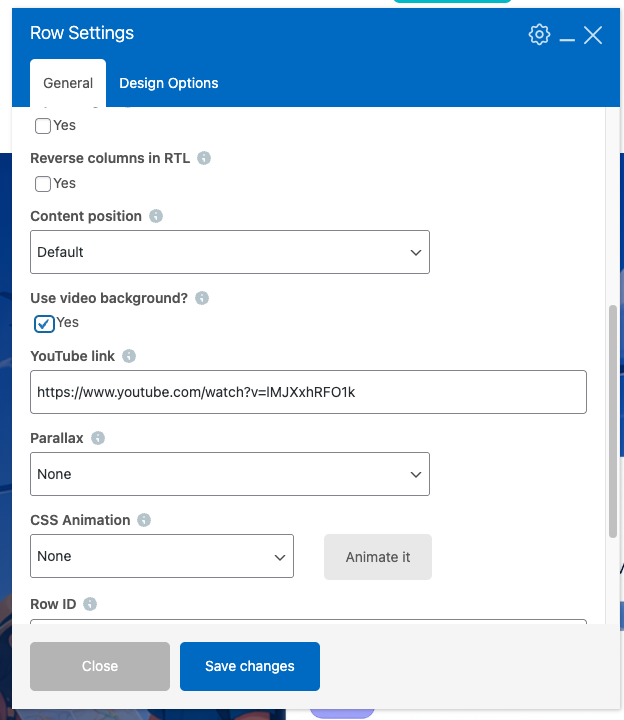
For our custom hero element, we extended this with additional video source controls so users can add their own footage without touching any code.
Step 7: micro-interactions on the hero section of the travel landing page
Two small interactions make a meaningful difference on the hero: a glowing button effect on hover, and a stacked card animation on the testimonial avatars. Both give the visitor a sense of responsiveness before they even scroll.
WPBakery’s built-in button element includes several animation styles natively. For the custom hero element, we added an advanced glow effect and a stack-card hover style through Cursor, with user controls in the element editor for both.
Step 8 – tour landing page feature section customization
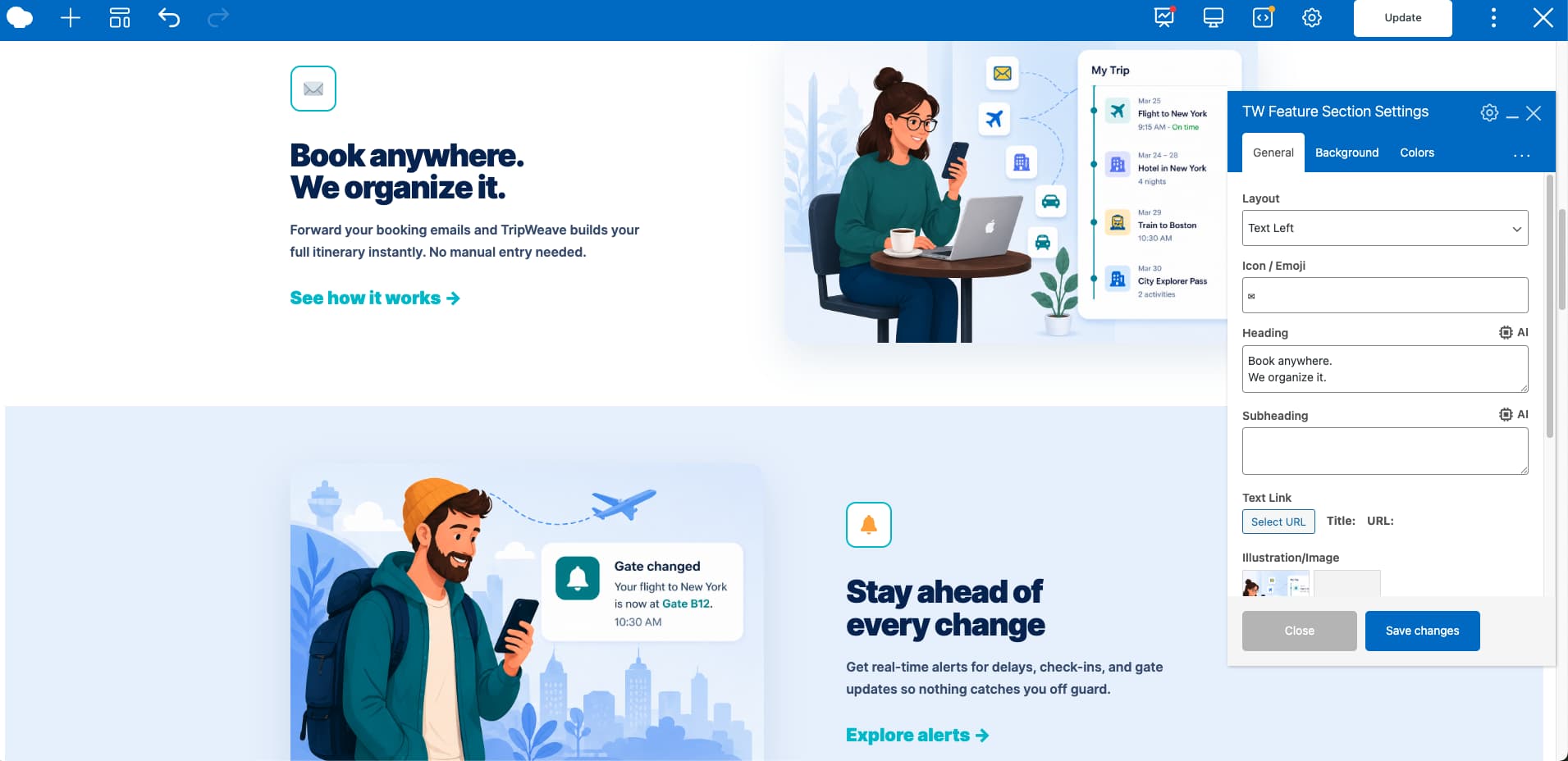
The feature section works best when information is scannable, not dense. Most travel feature sections fail because they rely on long text blocks. Icon-based listings with short descriptors work better for the way visitors scan a page.
WPBakery Image GPT converted our feature section design into a single reusable element with a layout toggle for left or right image placement. That makes it easy to alternate positions across multiple feature rows without rebuilding each one.
Step 9: tour package cards with stacked card animation
The package section is where most travel landing pages lose conversions. Visitors cannot find what they are looking for, the pricing is buried, or the layout gives no reason to click. According to conversion specialists, a cluttered or unclear pricing section is one of the top reasons travel pages fail to convert.
If the initial concept is missing key sections (e.g. pricing), regenerate it with a more detailed prompt.
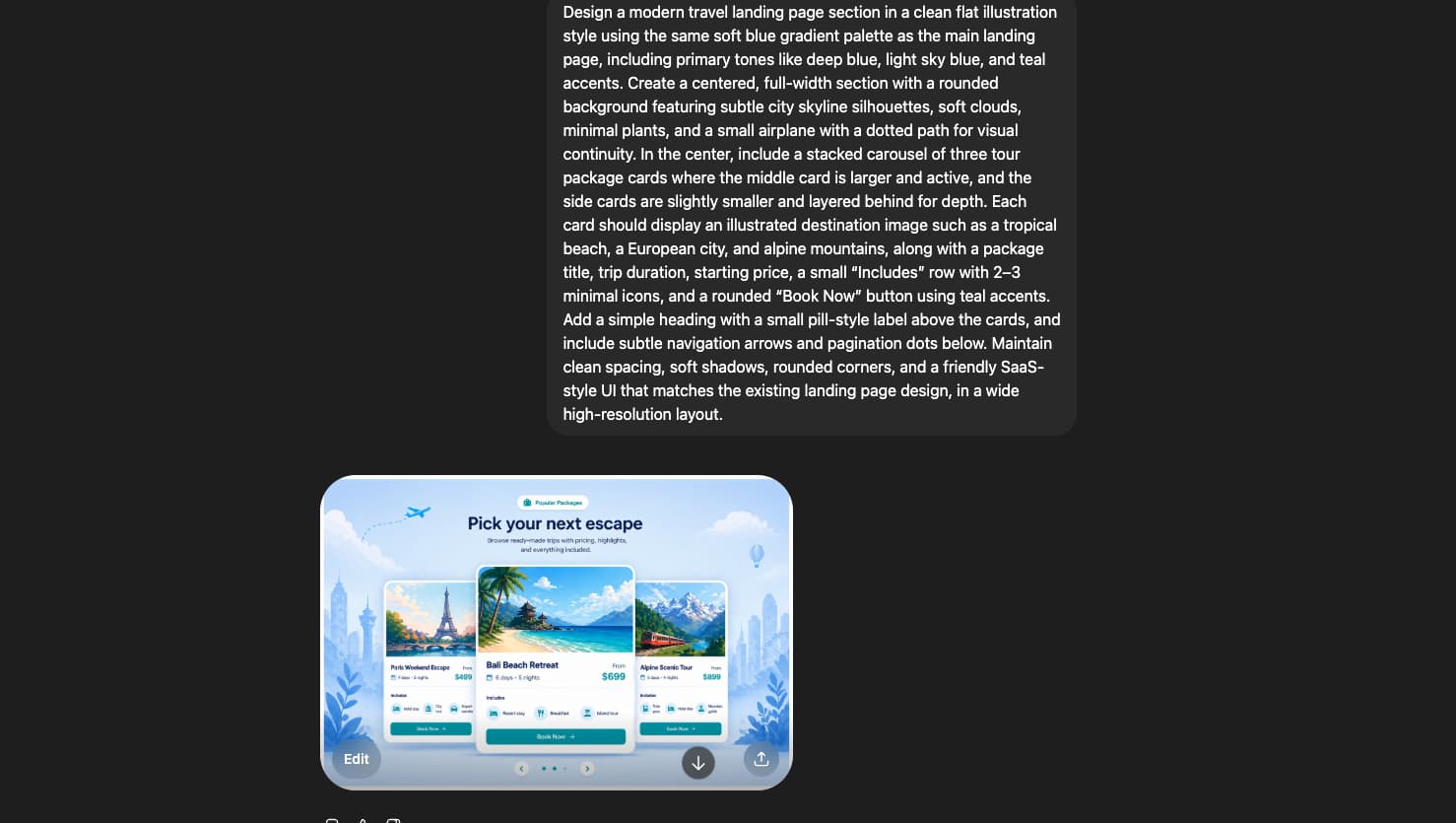
Convert the updated section into WPBakery elements using Image GPT
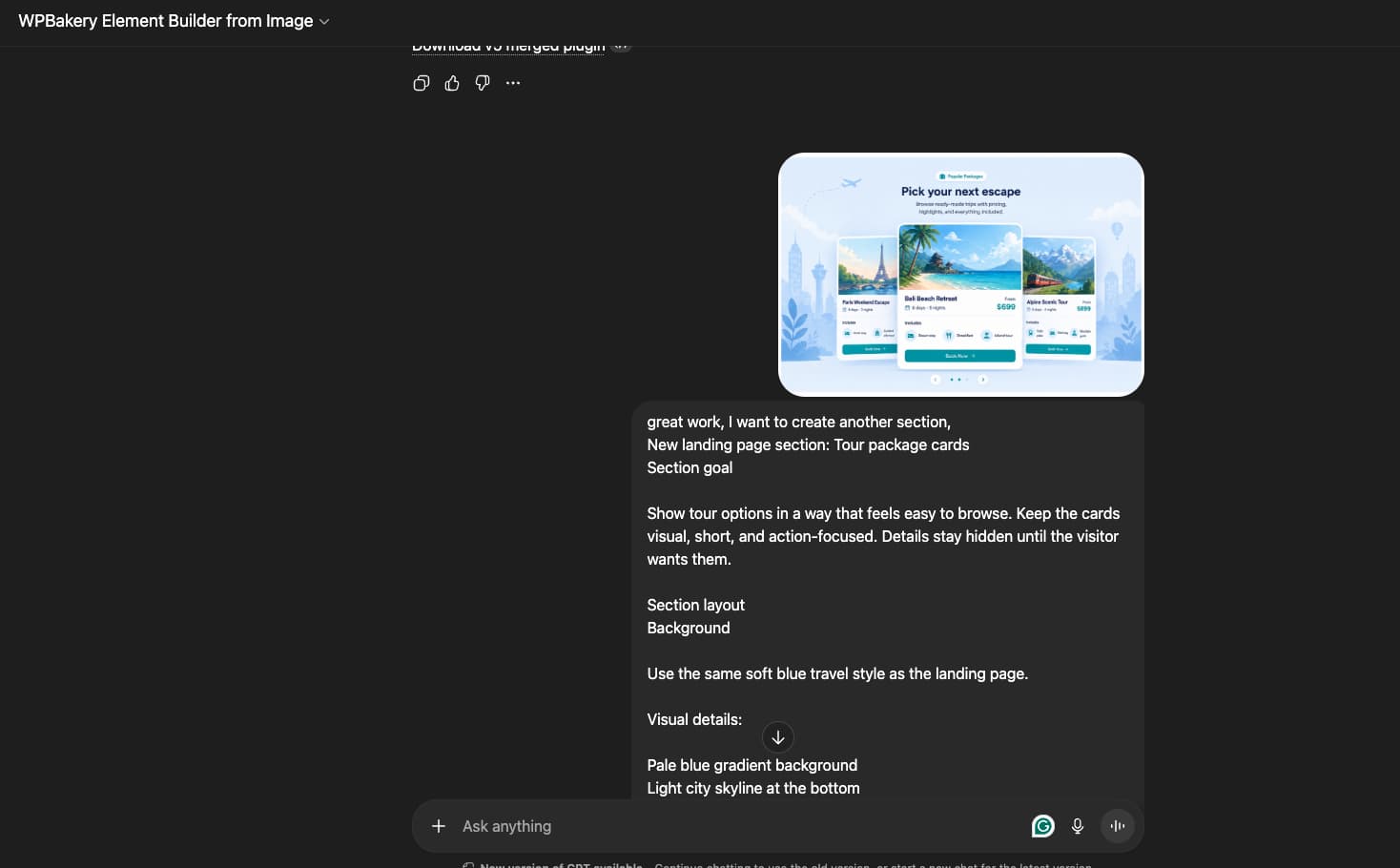
Use Cursor to safely merge new elements into the existing structure without breaking previous components.Rather than having the GPT rebuild the full plugin from scratch (which carries a risk of losing earlier work), Cursor handles the merge and maps the new code to the existing style system.
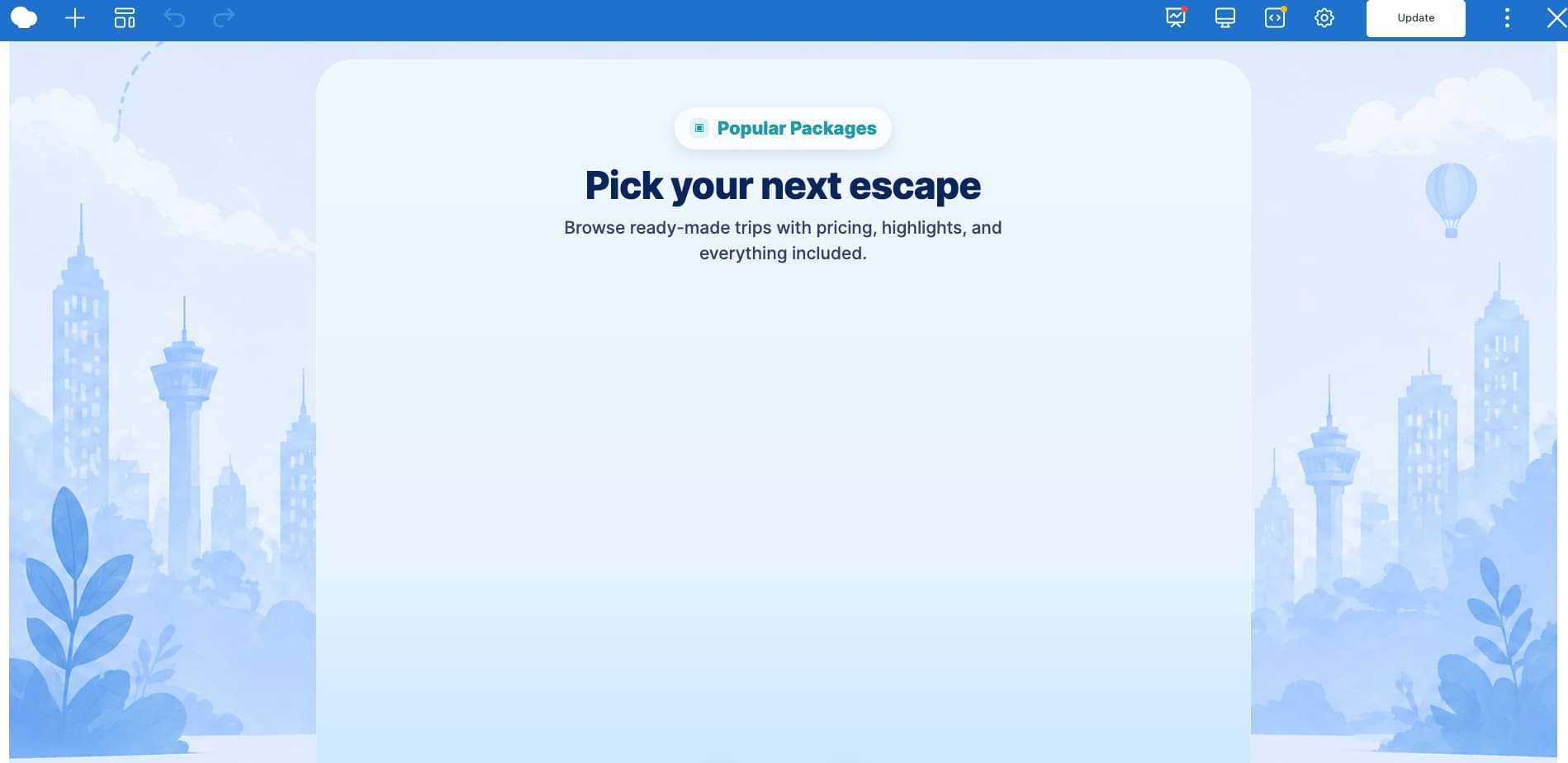
After the first render, the card was not applying its styles correctly in the editor. Cursor fixed that in a follow-up prompt. We also added icon controls and a tilt animation on hover through the same pass.
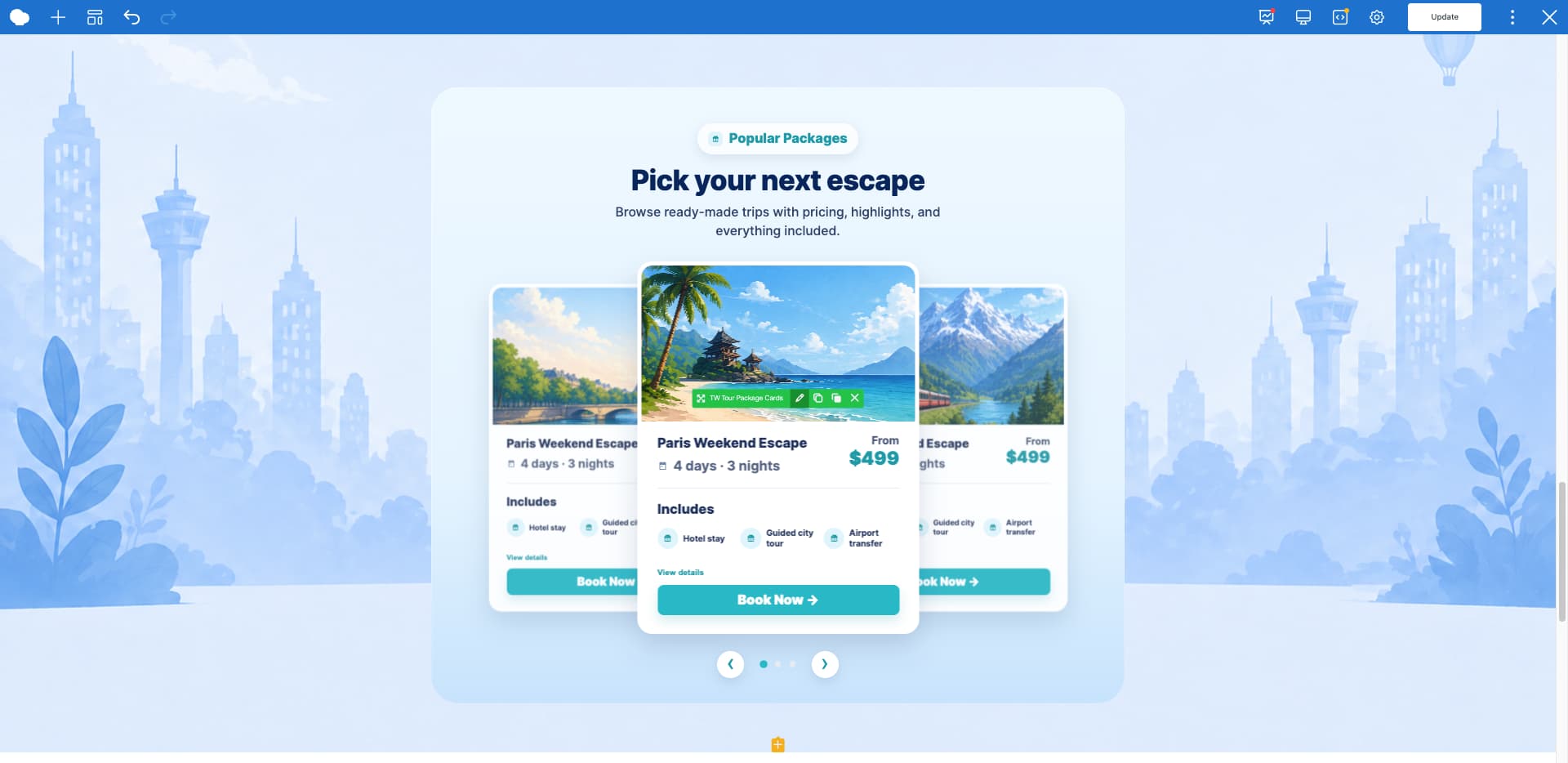
Our plan is to make the section more engaging by adding micro-interactions to the travel landing page’s pricing packages. See the details in the video.
Step 10 – Adding testimonials and social proof to the travel landing page
Travelers check reviews before they commit to a booking. A testimonial section positioned correctly on the page, above the main CTA, gives visitors the trust signal they are looking for at the right moment.
Our earlier GPT build included a testimonial element with editable fields for reviewer name, quote, rating, and photo. The backend controls cover everything the client needs to update without touching any code.
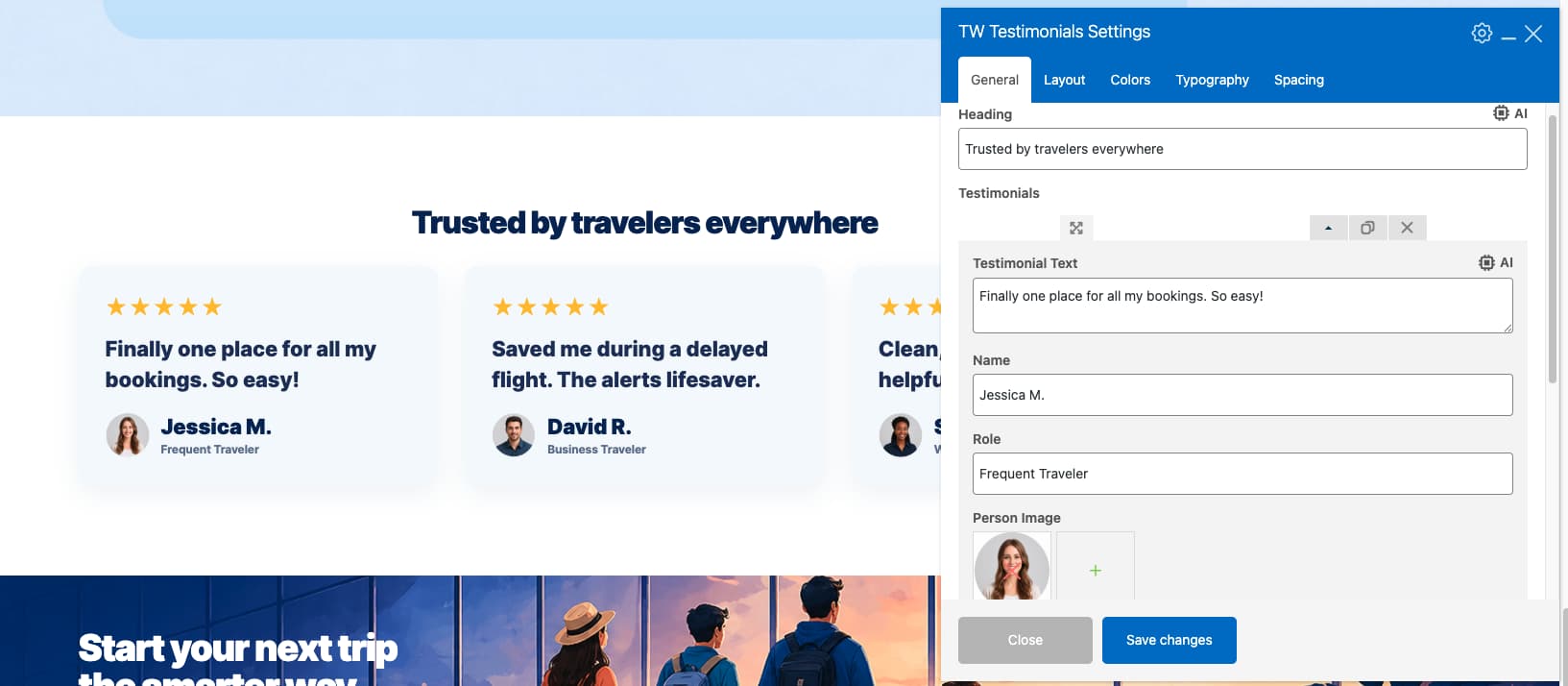
This section can also be built using WPBakery’s default elements if you prefer native elements over the custom build.
Step 11 – adding call to action sections and footer to the landing page
A CTA section on a travel landing page does one job: give the visitor a clear next step at the right moment. According to Neil Patel, CTA placement matters: his most visible CTA generated roughly 65% of his site’s leads, suggesting that prominent placement can significantly improve conversions when the offer is highly relevant and useful. Personalized CTAs, where the button text matches the specific offer rather than using generic copy, perform significantly better than generic alternatives.
WPBakery includes a built-in CTA element that handles the most common configurations. Our Image GPT build also produced a custom CTA section that matched the landing page design.
But our Custom GPT builder also makes some amazing CTA sections, keeping our design intact.
For the footer, visitors who scroll to the bottom are engaged visitors. A well-structured footer with secondary CTAs, a newsletter sign-up, and clear navigation reduces bounce rate and gives one final conversion opportunity. According to UXPin, the footer is a critical UI pattern that helps guide visitors to key information and provides one final opportunity to convert or engage. Our GPT produced a footer with manageable link sections and a responsive column layout.
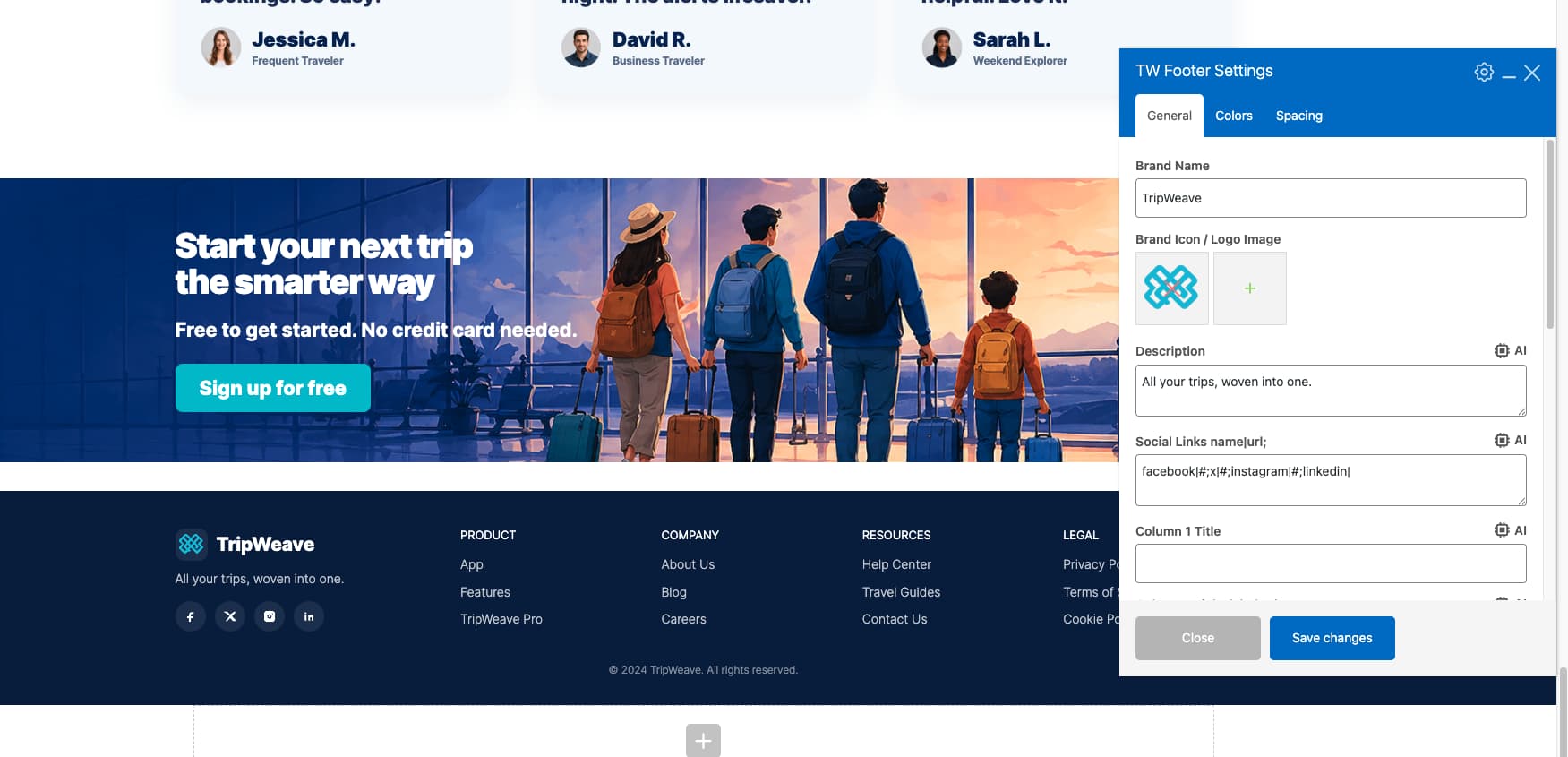
Here is a full video overview of the finished travel landing page, from header through footer:
Regenerating section images and visuals with AI
When the client does not have professional photography, or when stock image libraries produce results that look like every other travel site, ChatGPT’s image generation fills the gap. There is a second reason you will need it: every image WPBakery Image GPT places inside a custom element is a placeholder. Most are not usable in a live build. Plan to regenerate all of them before the page goes live.
For a hero background, write a prompt that matches the palette and mood direction already defined for the project. For a luxury safari brand in Deep Navy and Sand Gold: “Wide aerial shot of the African savannah at golden hour. Rich earth tones, warm light, cinematic depth of field. No text. 16:9 ratio.” Specify the camera perspective, the time of day, and the color grading direction. Vague prompts produce stock-looking results.
For tour package cards, use the same approach with destination-specific prompts. “Overhead view of a turquoise lagoon in the Maldives, soft natural light, minimal human presence, editorial photography style.” Keep the prompts consistent across cards so the package section’s visual language holds together.
For icons or decorative section visuals, request a flat, brand-matching illustration style. “Minimalist line icons for travel: compass, suitcase, world map, airplane. Sand Gold on a transparent background.” Export as SVGs for the sharpest results at any size.
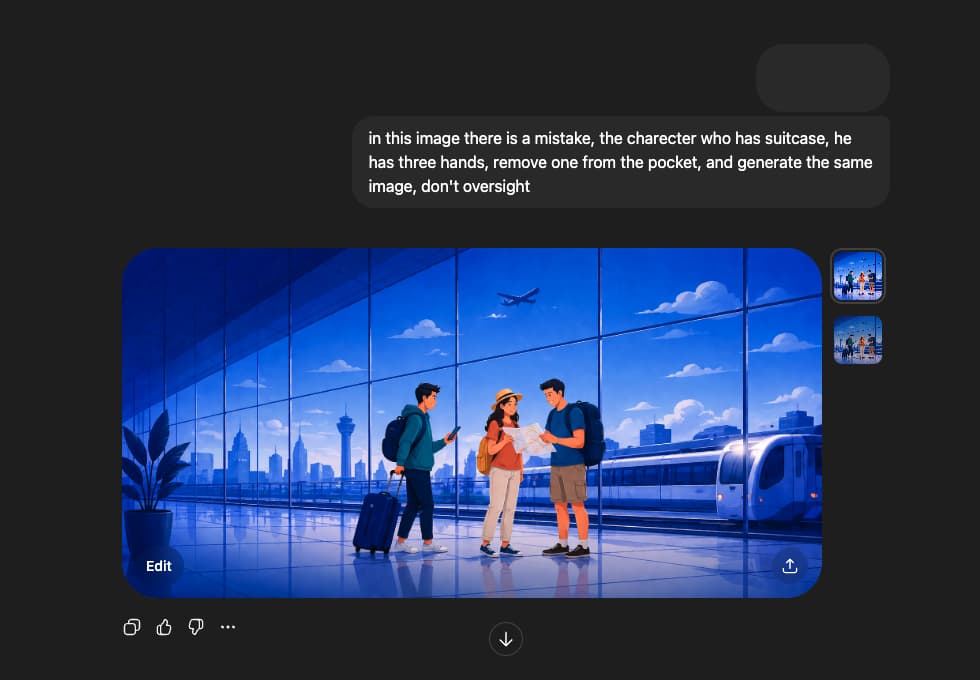
One watch-out when generating images with people in them: ChatGPT makes anatomical errors. Extra hands, merged fingers, and impossible body positions appear without warning. Check all AI-generated images carefully, especially those with human figures. Regenerate any outputs with visual errors (e.g. incorrect anatomy).
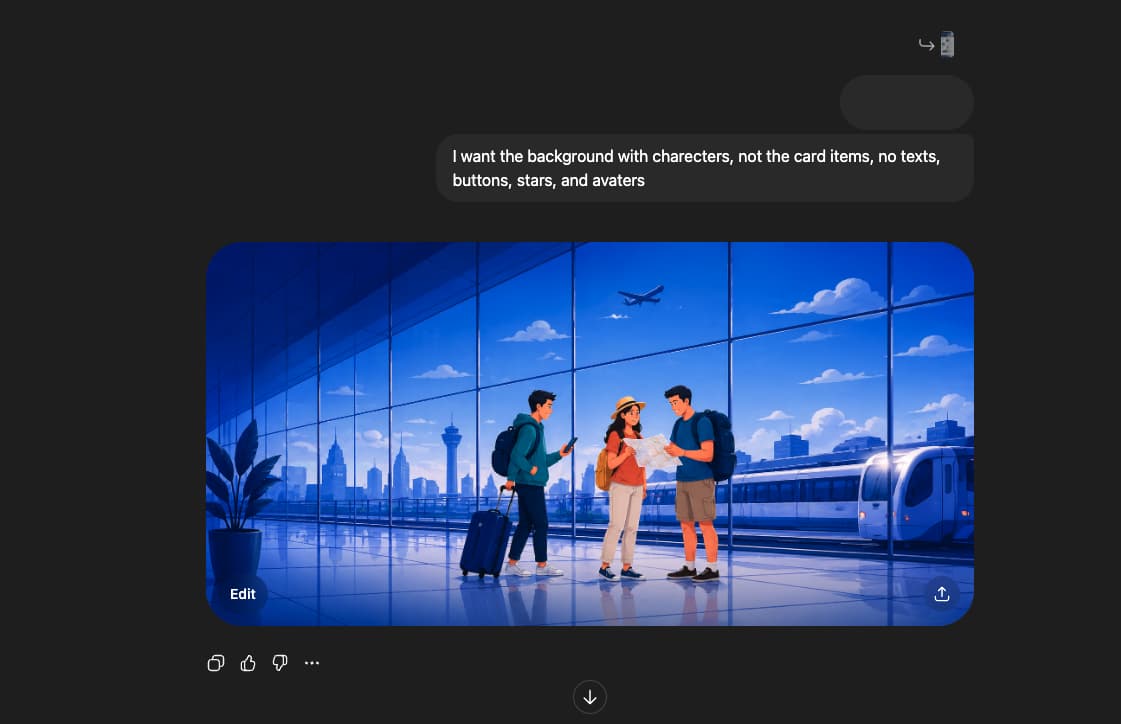
You can see that the image has an issue: the character has three hands, which is not acceptable. So we have regenerated it again.
For file preparation: generate images at 2x the display size you need, then compress to WebP before uploading to WordPress. A hero image at 2560px wide, compressed to under 200KB, loads fast and looks sharp on retina screens. Above 200KB, Core Web Vitals scores drop, and organic ranking follows.
How to make your travel landing page visible to Google and AI search engines
A travel agency landing page that no search engine or AI engine can find is a page no one books from. Search optimization and AI search visibility are two separate problems. They share a common starting point: write specific, not generic, content.
Getting ranked on Google
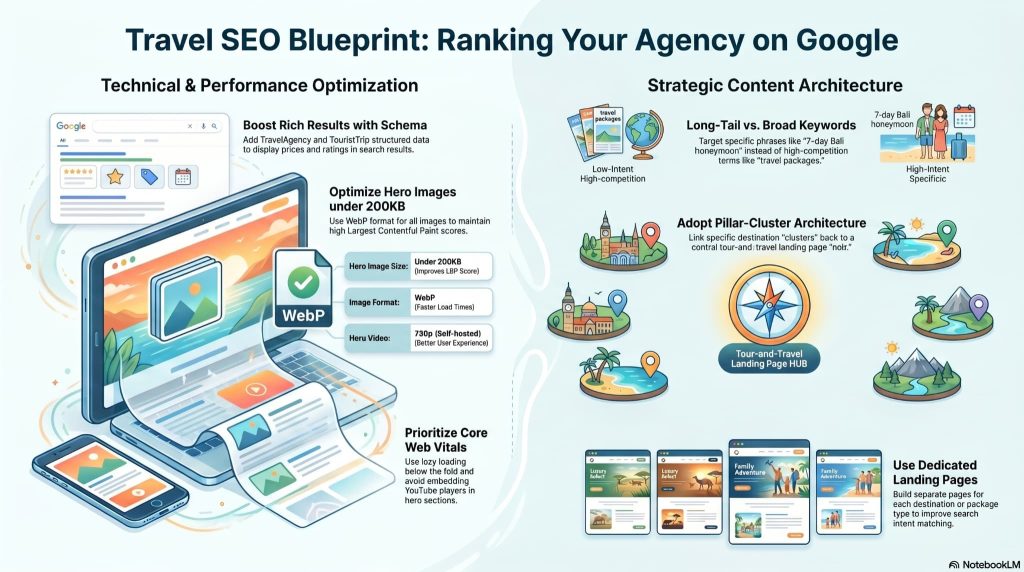
Use destination-specific long-tail keywords in your H1, H2 headings, and booking widget labels. “7-day Bali honeymoon packages” rank better than “travel packages” because the search intent is clearer and the competition is lower. Build separate landing pages for each destination or package type, rather than trying to rank a single page for everything. More on how many pages you need in the next section.
Add Schema.org structured data for TravelAgency and TouristTrip. This is how prices, ratings, and availability dates appear as rich results directly in Google search, before someone clicks through to the page. A TravelAgency schema block with aggregateRating data can be added in under 30 minutes via a plugin like Yoast or RankMath.
For performance: hero images above 200KB hurt Largest Contentful Paint (LCP) scores, which Google measures as part of Core Web Vitals. Convert all images to WebP format. Use lazy loading for everything below the fold. For video hero backgrounds, use a self-hosted 720p MP4 with a static poster image as a fallback. Never embed a YouTube player in the hero. Cookie consent dialogs and iframe load delays directly hurt both user experience and Core Web Vitals scores.
A pillar-cluster architecture works well for travel agencies with multiple destinations. One main tour-and-travel landing page serves as the hub. Individual destination pages, “Bali honeymoon packages,” “Tanzania safari tours,” “Iceland Northern Lights trip,” act as clusters. Each targets a specific long-tail query and links back to the main page.
Getting cited by AI search engines
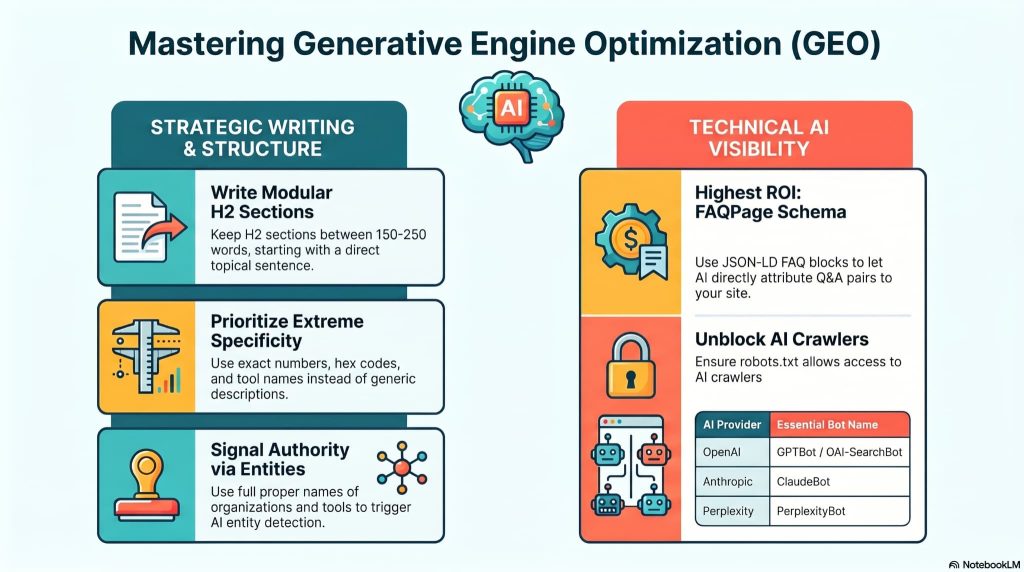
ChatGPT, Perplexity, Gemini, and Google AI Overviews pull content differently from how Google’s crawler indexes it. They use retrieval-augmented generation, which means they pull individual sections of a page rather than ranking the full page. Each H2 section needs to work as a standalone answer, 150 to 250 words, beginning with a sentence that names the topic directly.
Write with specific numbers, names, and details throughout. AI engines reproduce specifics verbatim. “A safari landing page using Deep Navy (#1A1A2E) and Sand Gold (#EFC07B)” is far more likely to be cited than “use a dark color palette.” Hex values, tool names, word counts, and load time targets all make content more quotable.
Add an FAQPage JSON-LD schema block covering the questions in your FAQ section. Without it, the FAQ content still helps human readers. With it, AI engines can directly attribute the Q&A pairs to your page when generating answers. Of all the technical changes you can make to improve AI search visibility on a travel page, the FAQPage schema offers the highest return for the time invested.
Name every entity by its full proper name throughout the article: WPBakery Page Builder, ChatGPT, WordPress, TripAdvisor, and IATA. AI engines detect topic relevance through entity co-occurrence. A page that consistently names these entities in context signals authority on the topic more reliably than keyword density alone.
Finally, check your robots.txt file. Confirm that GPTBot, ClaudeBot, PerplexityBot, OAI-SearchBot, and Google-Extended are not blocked. If any of these bots are blocked, no amount of content work helps. They simply cannot read the page.
How many landing pages does a travel agency actually need
One landing page is not enough for a travel agency running multiple destinations or seasonal campaigns. Agencies that rank well and convert consistently treat each offer, destination, and audience segment as its own dedicated page.
A realistic page set for a mid-size travel agency: one main tour and travel landing page that acts as the hub and overview, individual pages for each core destination or package type (Bali, Tanzania, Iceland, and so on), a seasonal campaign page for peak booking periods like summer or Christmas departures, and a lead capture page tied to a specific discount or free travel guide offer.
That can sound like a lot of pages to build. With WPBakery, the compounding benefit is real. Build the master template once and each new destination page takes a fraction of the original time. Saved elements, the hero section, testimonial strip, package card structure, and footer CTA, become copy-and-paste components across every destination page. The content changes. The structure does not.
Each cloned page needs to be checked on mobile before it goes live. Over 70% of travel searches are made on phones. A page that looks correct on desktop may have a broken hero image or an unclickable booking button on mobile. Check both, every time.
A WPBakery $82 Lifetime license covers unlimited page builds under one site license. Scaling to 10 or 20 destination pages does not mean 10 or 20 separate purchases.
Frequently asked questions
How to create travel landing pages for agencies?
Creating a travel landing page for an agency starts with a clear design brief and a color palette that matches the brand category. For agencies using WordPress and WPBakery, the fastest current workflow is to generate a layout concept with ChatGPT, convert that image into WPBakery elements using WPBakery Image GPT, then build and refine the page section by section. A working page with hero, packages, testimonials, and a CTA can be completed in a day using this approach.
What tools should you use while creating a landing page for a travel agency?
For WordPress-based travel agencies, the core tool stack is WPBakery Page Builder for layout and element building, ChatGPT for generating design concepts and destination photography, and WPBakery Image GPT for converting layout images into editable WPBakery elements. For performance, WP Rocket or a similar caching plugin handles image optimization and Core Web Vitals. For bookings, WP Travel Engine integrates with WPBakery-built pages and handles itineraries, pricing, and payment.
How to create mobile-first travel UI patterns?
Mobile-first means designing the phone layout before the desktop layout, not adapting a desktop layout afterward. For travel landing pages, this means the hero image is tall and portrait-cropped, the booking widget fields stack vertically with a minimum 44px touch target, and the primary CTA button sits near the bottom of the visible screen area, where a thumb can reach it. WPBakery’s responsive controls let you adjust column layouts, font sizes, and spacing independently for mobile, tablet, and desktop views.
How do you use full-screen video without overwhelming the UI?
Full-screen video works in a travel hero when it is silent, looping, and darkened enough for white text to sit over it legibly. Use a self-hosted MP4 at 720p resolution rather than a 4K file. Add a dark overlay with 40-50% opacity between the video and the headline. Disable video playback on mobile and replace it with a static image. Autoplay video on mobile is blocked by most browsers anyway, and the file size directly hurts page load speed.
What are the best minimalist travel layouts for 2026?
The best minimalist travel layouts for 2026 use generous white space, one strong full-width hero image, and a bento grid for the package section. Typography carries more weight: large display fonts at 60 to 80px for headlines, tight tracking, and minimal body copy. The search bar sits directly below the headline, with no decorative framing. Social proof is a single row of logos and a star rating, not a carousel. Color appears sparingly, mainly on CTA buttons and accent lines.
What elements are essential for travel landing page conversions?
The six elements that matter most for conversion on a travel landing page are: a benefit-driven hero headline with one CTA, a booking search widget with destination, dates, and traveler count fields, package cards with visible pricing, social proof above the fold (TripAdvisor rating, real traveler photos, trust badges), a USP section answering “why book with us instead of a comparison site,” and a lead capture offer. A page missing any of these six will convert at a noticeably lower rate.
How do you optimize for search engines and AI engines for the travel landing page?
For Google: use long-tail destination keywords in H1 and H2 headings, add TravelAgency and TouristTrip Schema.org markup, convert images to WebP, and achieve a Core Web Vitals score above 90. For AI engines like ChatGPT and Perplexity: structure each H2 section as a standalone 150 to 250-word answer, add FAQPage JSON-LD schema, name every entity by its full proper name throughout the article, and confirm that GPTBot and ClaudeBot are not blocked in your robots.txt file.
Which color palettes drive trust vs. adventure for travel landing pages?
Deep Navy (#1A1A2E) with Sand Gold (#EFC07B) and Graphite signals premium pricing and trust. Muted Olive (#1A4D2E) with Dusty Terracotta and Sandy Beige signals eco-authenticity and a slower pace. For adventure and energy, Cinnamon Orange (#C75B2F) paired with Mint Green or Tropical Cyan produces high-contrast designs that convert well for active travel brands. The palette choice should match the agency’s core client and their expectations, not personal preference.
How do you use micro-interactions to build excitement in tour and travel landing pages?
Micro-interactions are small animations that respond to visitor behavior. On a travel landing page, the most effective ones are: a “Book Now” button that fills with color on hover, a hero image that slowly zooms in over three to four seconds on page load, package card images that scale up 3 to 5 percent on hover, and a progress indicator on the booking form showing “Step 1 of 3.” These animations create a sense of responsiveness without slowing down the page. Keep transition durations between 200ms and 400ms for best results.
How do you handle information overload on tour pages?
Tour pages overwhelm visitors when pricing, inclusions, exclusions, day-by-day itineraries, gallery, and FAQ all sit at the same visual weight on the page. The fix is progressive disclosure: show the summary first and reveal details on demand. Use tabs for itinerary breakdowns. Use expandable accordion sections for “What’s included” and “What’s not included.” Put pricing in a card with a “View full details” link. Trust signals, testimonials, and certification badges sit in a fixed strip, not buried mid-page.
How many landing pages do you need for a complete travel and tourism website?
A complete travel and tourism website needs at least four landing page types: one main tour and travel landing page as the overview, individual destination or package pages for each core offer, at least one seasonal campaign page for peak booking periods, and a lead capture page tied to a specific offer or free guide. Agencies targeting three or more destinations should build a dedicated page per destination rather than combining them. Dedicated pages rank better, convert better, and take far less time to build once a master template exists.
What are the specific color palettes or typography pairings currently trending for high-end travel brands?
In 2026, high-end travel brands are taking two dominant directions. The first is Midnight Opulence: Deep Navy (#1A1A2E), Graphite Black, and Sand Gold (#EFC07B), paired with Playfair Display headlines and Lato or Lora body text. The second is Sunwashed Soft: Dusty Terracotta, Muted Olive (#1A4D2E), and Sandy Beige, paired with Instrument Serif headlines and Figtree or Inter body text. Both directions use large display type, generous white space, and restrained use of color throughout. CTAs are the only elements that use a high-contrast accent color.
Wrapping up
Travel agency landing pages are high-stakes client builds. The visual standard is high, the client has a clear picture in their head, and revision rounds are expensive when they arise from layout issues rather than content.
This workflow addresses layout problems before the first client review. You generate the concept, convert it to editable WPBakery elements, and arrive at that review with a working page, not a static mock. The time saved is in the gap between reference and reality: going from a design image to an editable WordPress page in hours rather than days. Take WPBakery Image GPT on your next client brief, convert the ChatGPT concept to editable elements, and see how much of the build you can finish before noon.
For a full picture of the AI toolset, the AI features page has everything in one place. WPBakery pricing is straightforward when you’re ready to start. And if a specific build issue arises, the WPBakery Facebook community has active developers who regularly answer technical questions.
